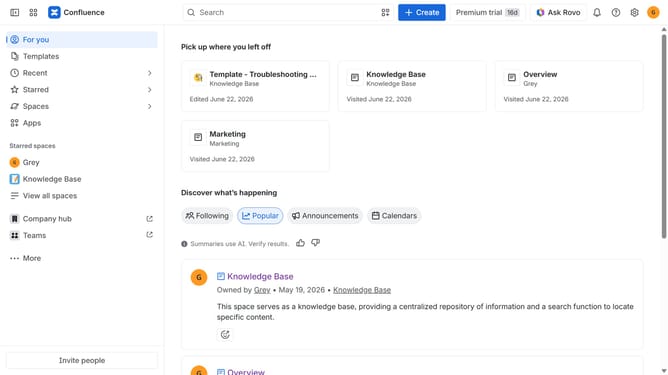
How to enable folders in a Confluence space
Here is how to enable folders in a confluence space
- First click on "Spaces" in the left sidebar
- Next click on the "View all spaces" option
- From the list of spaces, select the space you want to manage features for
- Then click on the "three dots" button next to the space name in the sidebar
- From the dropdown menu, select the "Space settings" option
- Next click the "General" menu in the left sidebar
- Select "Features" from the submenu
- Then, locate the “Folders” feature in the Content section
- Finally, turn on the toggle next to "Folders" to enable it
Why should you enable folders in a Confluence space
Confluence is a powerful collaboration tool designed to facilitate seamless teamwork and information sharing within organizations.
Enabling folders in a Confluence space enhances organizational capabilities, allowing teams to categorize content efficiently and improve searchability. This feature simplifies navigation, ensuring that team members can quickly access the information they need without hassle.
Utilizing folders in Confluence promotes productivity by streamlining document management and reducing clutter. With content neatly classified, your team can focus on generating and innovating rather than hunting for resources.
Last update