How to enable an extension on a base in Airtable
Here is how to enable an extension on a base in airtable
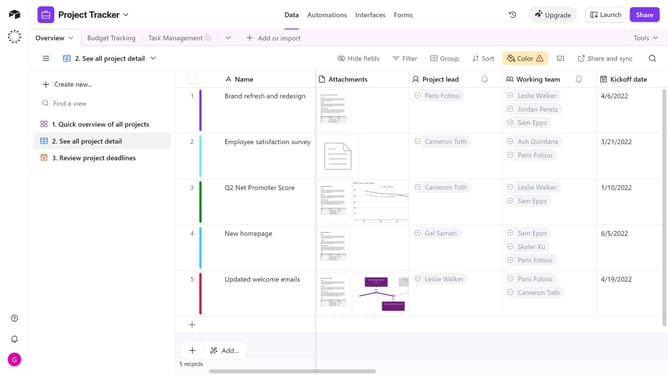
- First, open the base where the extension is located
- Next click on the "Tools" dropdown button in the top-right corner of the base
- Then click on "Extensions" option from the dropdown menu
- In the extensions panel, locate the extension that is currently disabled
- Finally click on "Enable" button to activate the dashboard extension
Why should you enable an extension on a base in Airtable
Airtable is a versatile platform designed to streamline collaboration and organization for various projects.
Enabling an extension on a base in Airtable transforms how you manage your data by adding layers of functionality that adapt to your specific needs.
This feature enhances efficiency by integrating tools directly into your workflow, reducing the need for multiple applications.
The benefits are clear: it centralizes resources, boosts productivity, and offers customization to optimize task management.
Last update