How to duplicate a slide in Pitch
Here is how to duplicate a slide in pitch
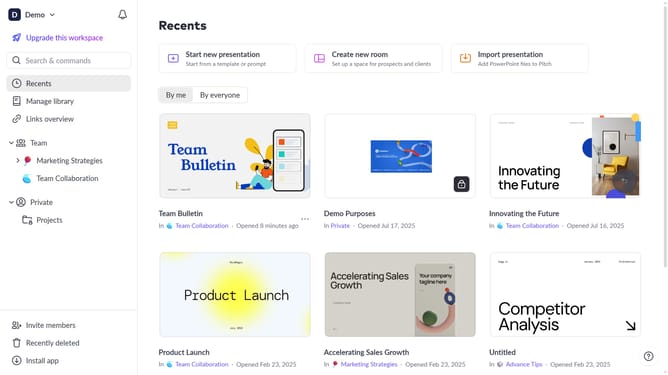
- First click the presentation that contains the slide you want to duplicate
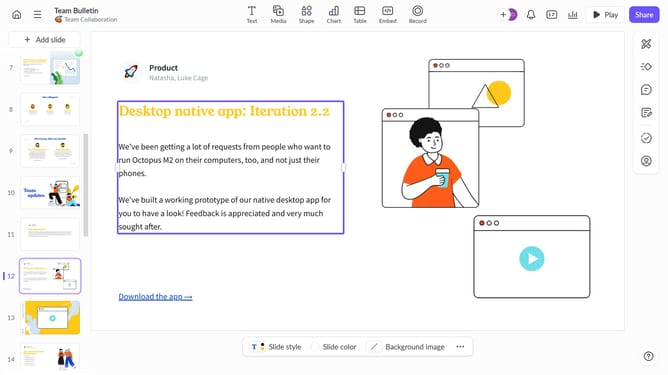
- Then right-click the slide you want to duplicate from the slide list in the left sidebar
- Finally click the "Duplicate" option from the context menu to create a copy of the slide
Why should you duplicate a slide in Pitch
Pitch is a dynamic platform that streamlines the process of creating captivating presentations effortlessly.
Duplicating a slide in Pitch is a straightforward feature designed to save time and maintain consistency across your presentation.
By utilizing this feature, you can efficiently replicate a well-crafted slide without starting from scratch, ensuring uniformity in design and content.
Ultimately, this enhances your productivity and allows for more focused refinement on additional slides.
Last update