How to duplicate a board on Miro
Here is how to duplicate a board on miro
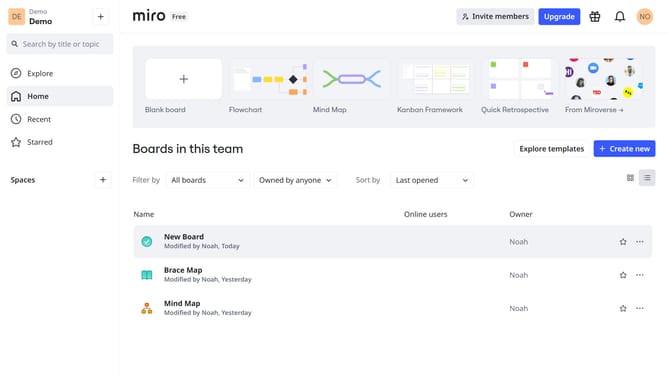
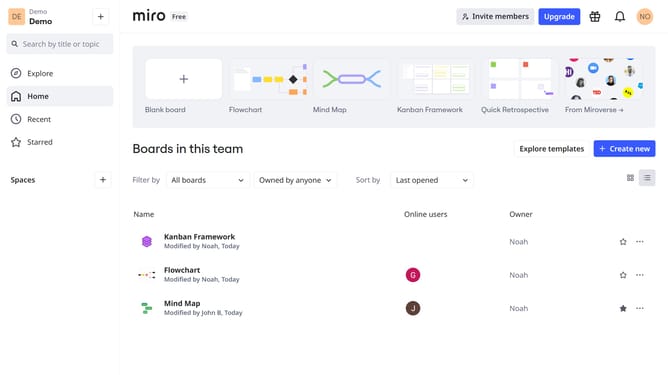
- First, navigate to your dashboard
- Then, find the board you want to duplicate and click the three dots (...) for more options
- Next select "Duplicate" option from the dropdown menuion
- In the popup window, name the duplicated board
- Finally, click "Copy" to confirm board duplication
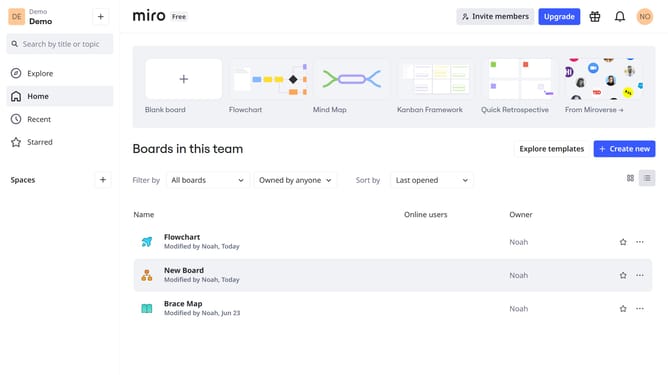
- You’ve successfully duplicated your Miro board. The duplicated board will appear in your dashboard with the original content
Why should you duplicate a board on Miro
Miro is a dynamic online collaboration platform designed to enhance creative and productive teamwork.
Duplicating a board in Miro simplifies project management and boosts efficiency by allowing you to easily replicate a successful structure or template without starting from scratch.
This feature empowers teams to maintain consistency across multiple projects, saving valuable time and facilitating seamless collaboration.
By preserving the layout and content, users can focus on innovation rather than repetitive setups, amplifying their productivity and creativity.
Last update