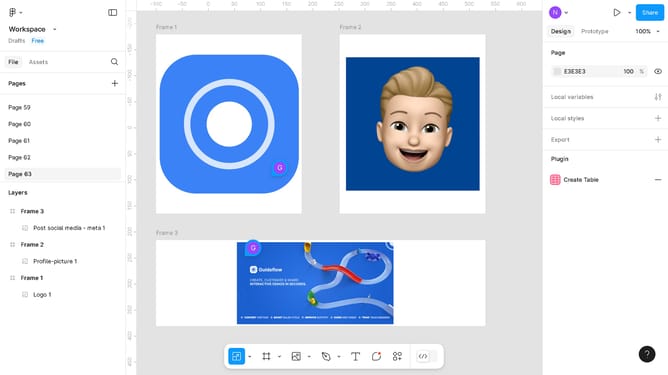
How to download the Figma file as a PDF
Here is how to download the figma file as a pdf
- First, click on the "Workspace" dropdown in the top-left corner of the interface
- Then click on the "File" option in the main menu
- Next, select "Export frames to PDF" from the File submenu
- Finally, click the "Export" button in the export dialog window
Why should you download the Figma file as a PDF
Figma is a powerful design tool that facilitates seamless collaboration and intuitive creation.
One standout feature is the ability to download Figma files as PDFs, a highly beneficial option for organizing and sharing designs.
Converting designs to PDFs allows for easy distribution of work with clients or team members in a universally accessible format.
This ensures consistent presentation across various platforms, enhancing communication and project efficiency.
Last update