How to disable creating new conversations when email subject changes in Intercom
Here is how to disable creating new conversations when email subject changes in intercom
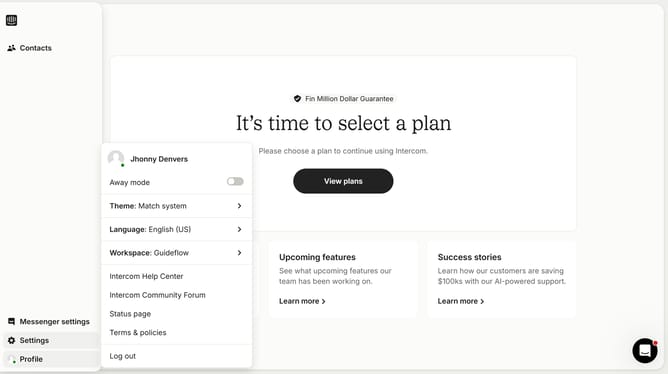
- First, click on "Settings" in the left sidebar
- Then, in the left sidebar, click on "Channels"
- Next, from the list of channels, click on "Email"
- After that, click on the "Email settings" tab
- Finally, toggle the switch OFF for "Create new conversation"
Why should you disable creating new conversations when email subject changes in Intercom
Intercom is a powerful messaging platform designed to streamline customer communication and support.
The feature to disable creating new conversations when an email subject changes in Intercom helps maintain an uninterrupted conversation flow.
This functionality ensures all interactions on the same topic are collated in one thread, enhancing continuity and avoiding fractured dialogues.
By using this feature, teams can reduce confusion, improve response times, and deliver a more cohesive customer experience.
Last update