How to remove blocked domains from Intercom
Here is how to remove blocked domains from intercom
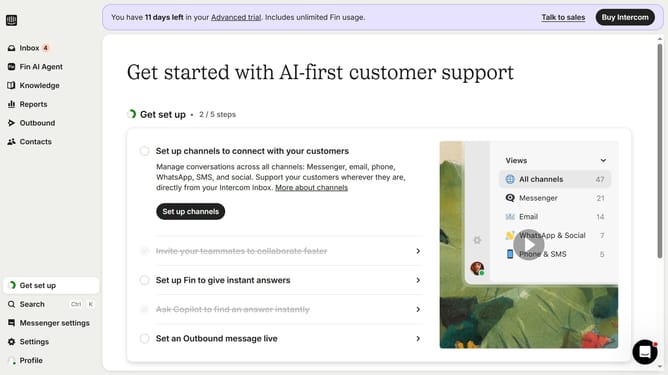
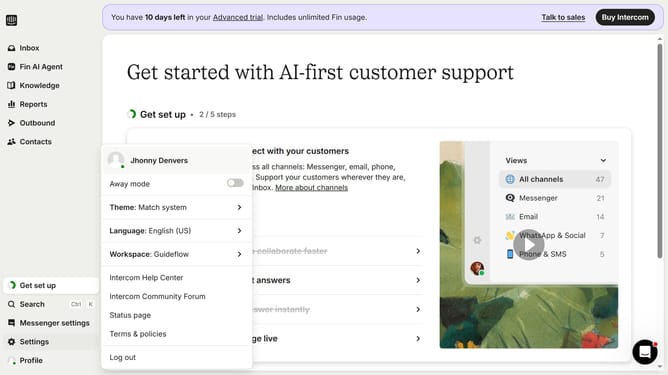
- First click on "Settings" button in the left sidebar
- Then click on "Workspace" option in the settings menu
- Next click on "Security" item in the workspace submenu
- Then click on "Links" section in the security settings panel
- Click on the "Delete" icon (trash bin) next to a blocked domain entry
- Finally click on "Delete policy" button in the confirmation dialog
Why should you remove blocked domains from Intercom
Intercom is a dynamic platform designed to enhance communication with customers through personalized messaging and customer support tools.
Removing blocked domains in Intercom allows you to refine your communication channels, ensuring you're reaching the right audience. By eliminating unnecessary restrictions, businesses can streamline workflows and focus on engaging with genuine prospects.
This feature not only improves engagement efficiency but also enhances the quality of customer interaction by allowing your team to connect seamlessly with new and existing clients.
Last update