How to disable blogs in a Confluence space
Here is how to disable blogs in a confluence space
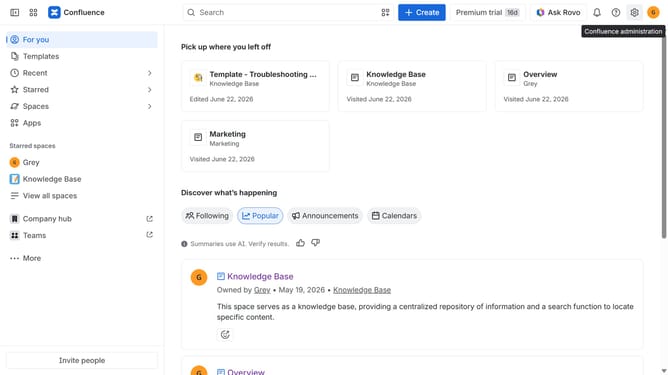
- First click on "Spaces" in the left sidebar
- Next click on the "View all spaces" option
- From the list of spaces, select the space you want to manage features for
- Then click on the "three dots" button next to the space name in the sidebar
- From the dropdown menu, select the "Space settings" option
- Next click the "General" menu in the left sidebar
- Select "Features" from the submenu
- Then, locate the “Blogs” feature in the Features section
- Finally, turn off the toggle next to "Blogs" to disable it
Why should you disable blogs in a Confluence space
Confluence is a collaborative platform designed for teams to create, share, and discuss vital information effortlessly.
One of its flexible features allows users to disable blogs within a particular Confluence space. This adjustment can streamline the interface by minimizing distractions for team members who need a focus on essential content without additional blog entries.
By disabling blogs, organizations can maintain a cleaner, more organized space tailored to specific project needs, enhancing team productivity and efficiency.
Last update