How to disable push notifications in Confluence
Here is how to disable push notifications in confluence
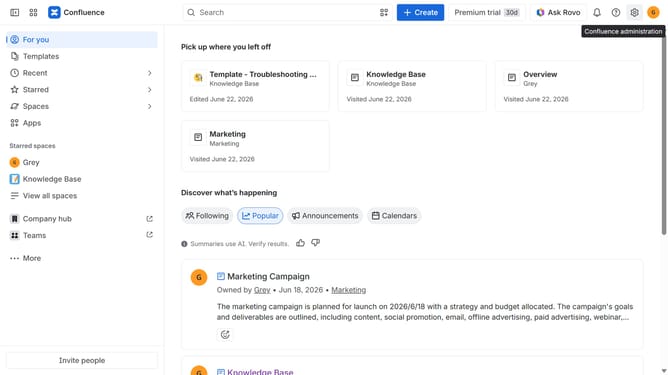
- First click on the gear icon in the top right header to open the Confluence administration menu
- Find "Settings" in the Confluence administration menu
- Next click on "Configuration"
- After that, select "General configuration" in the submenu
- In the General configuration section, locate the "Push notification" option
- Then, uncheck the checkbox to disable push notifications
- Finally click on the "Save configuration changes" button to apply the changes
Why should you disable push notifications in Confluence
Confluence is a powerful collaboration tool designed to streamline team communication and project management effectively.
With the option to disable push notifications in Confluence, users can enjoy uninterrupted focus.
This feature is particularly beneficial for minimizing distractions in an environment where constant alerts can disrupt workflow.
By controlling notification settings, team members can prioritize tasks and maintain a balance that enhances productivity and efficiency.
Last update