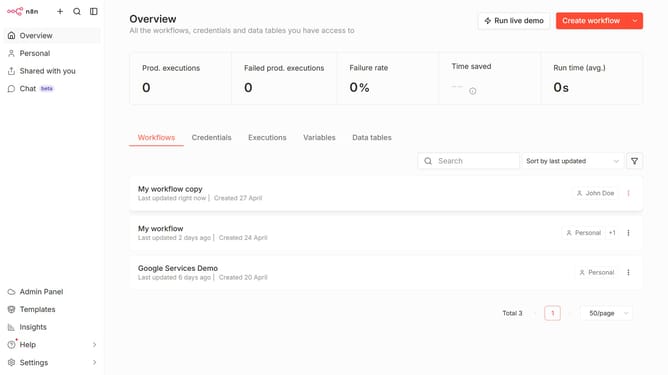
How to create Ollama credential in n8n
Here is how to create ollama credential in n8n
- First click on the dropdown arrow next to "Create workflow" button
- Then click on "Create credential" button
- Next, type "Ollama" in the search bar
- After that, select "Ollama" from the list
- Then click on the "Continue" button
- Next, fill in the "API Key" input field
- Finally click on the "Save" button
Why should you create Ollama credential in n8n
n8n is a powerful automation tool designed to streamline tasks and integrate various applications effortlessly.
Creating an Ollama credential in n8n enhances your workflow by securely managing credentials and ensuring smooth data exchanges. This feature allows users to safely store and access their information, crucial for automating tasks without repeated manual entries.
Utilizing this feature ensures consistency and security, reducing human error and saving valuable time. Leveraging such capabilities of n8n can significantly boost productivity and operational efficiency.
Last update