How to create an AI voice agent in Aircall
Here is how to create an ai voice agent in aircall
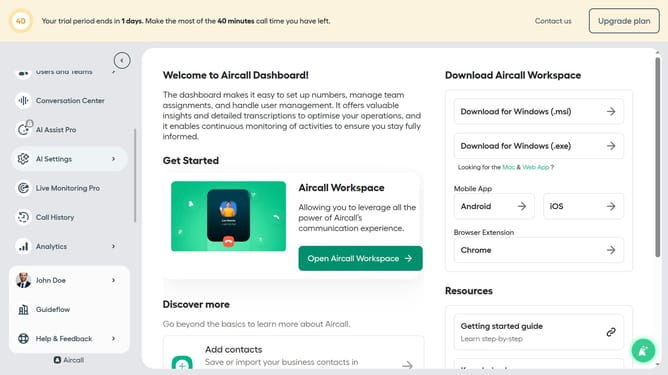
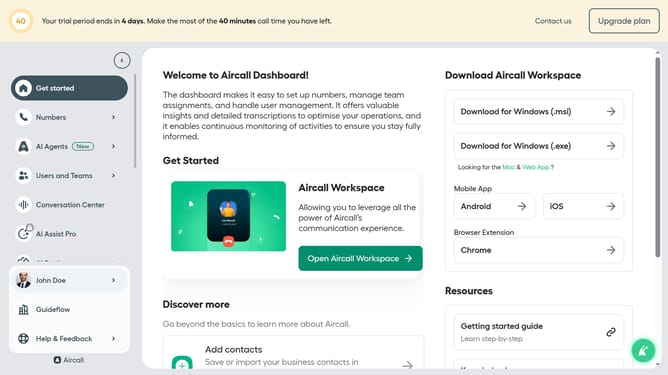
- First, click on the "Open Aircall Workspace" button in the main dashboard
- Then, navigate to the left sidebar and click on the "Contacts" item
- Next, click on the "+ Add" button in the header of the contacts section
- After that, select the "Import contacts" option from the dropdown menu
- In the main content area, click on the text input field and enter agent name
- Finally, click on the "Import contacts" button at the bottom of the modal
Why should you create an AI voice agent in Aircall
Aircall is an innovative cloud-based phone system designed for modern businesses to enhance their communication processes.
Creating an AI voice agent within Aircall empowers companies to automate and streamline their customer interactions. This feature integrates seamlessly with existing workflows, providing efficiency and reliability.
By utilizing an AI voice agent, businesses can ensure prompt customer service, reducing wait times and increasing customer satisfaction. It's a step towards more intelligent communication solutions, delivering consistent support around the clock.
Last update