How to create a new task in Clickup
Here is how to create a new task in clickup
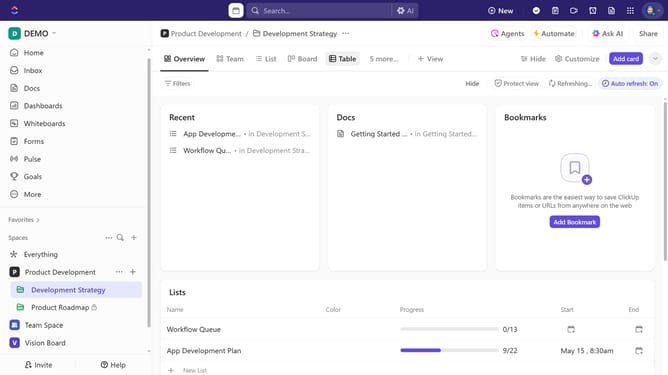
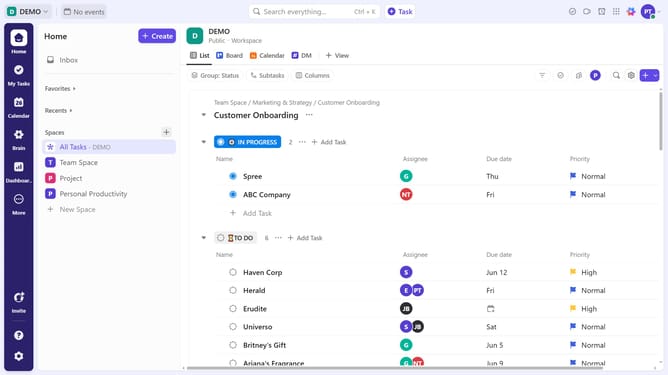
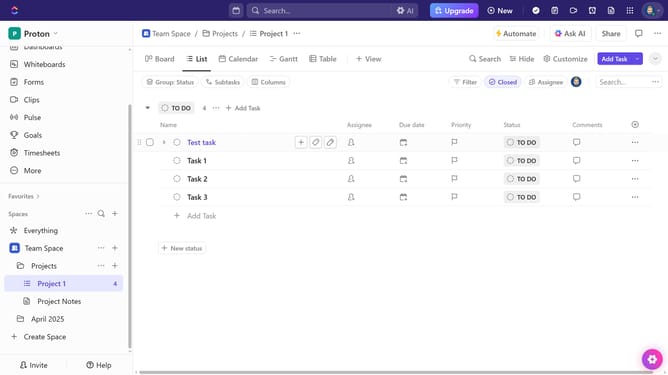
- "In the left sidebar, click the list where you want to add a task
- In the main content area, click on the "Add Task" button
- Give your task a name in the new task input field
- Click "Save" button to create the new task
Why should you create a new task in Clickup
ClickUp is a versatile project management tool designed to streamline workflows and boost productivity.
Creating a new task in ClickUp is straightforward, allowing you to efficiently organize your projects. It's designed to accommodate various task descriptions, due dates, and assignees, ensuring everyone is aligned and clear on their responsibilities.
This feature simplifies task management, enhances collaboration, and increases accountability within teams. By clearly defining tasks, it helps prioritize efforts and optimize efficiency, making project management seamless and effective.
Last update