How to create a new base with Omni AI in Airtable
Here is how to create a new base with omni ai in airtable
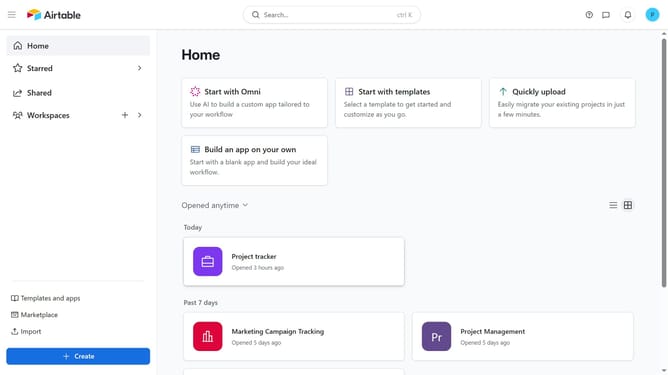
- First, navigate to your home screen and click on the "Create" button in the left sidebar
- Next click on "Workspaces" option in the left navigation menu
- Select a workspace from the dropdown menu
- Then click on "Build an app with Omni" option
- Next, click into the input field
- Then, type a short description of what you want your base to do
- Click the "Build it" button to start creating the base
- Omni AI will create a base structure with tables and fields based on your description
- Finally once the base is created, review the AI-generated tables and fields, and make any edits you need
Why should you create a new base with Omni AI in Airtable
Airtable is a versatile platform that blends the simplicity of a spreadsheet with the power of a database, crafting a unique user experience.
The integration of Omni AI in Airtable takes the hassle out of creating a new base by intuitively understanding your data needs and generating tailored templates.
This streamlined feature not only enhances productivity but also allows for seamless data organization, meeting each user's specific requirements effortlessly. By leveraging AI, you minimize manual entry, ensuring faster setup and more accurate outcomes, turning complex tasks into simple processes.
Last update