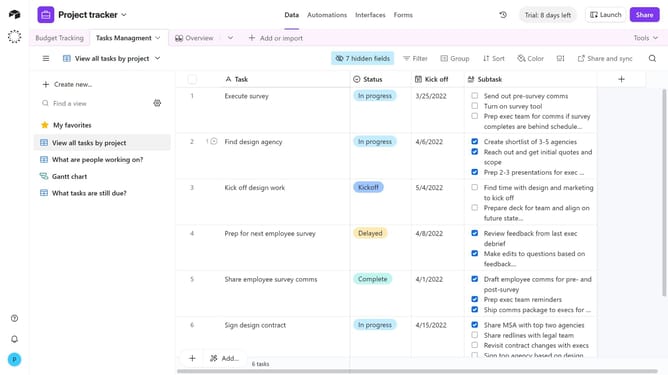
How to create a multiple select field in Airtable
Here is how to create a multiple select field in airtable
- First, navigate to your preferred base and open the table where you want to create a new field
- Next, click the “+” button in the top-right corner of the table columns
- Then, select “Multiple select” from the field type dropdown menu
- Enter a name for your field in the field name input
- Next click on "Add option" and enter your preferred options name
- You can also toggle ON/OFF color-code options and alphabetic sorting
- Finally click the "Create field" button to create the new field
- Your new multiple select field is now be available, and you can choose one or more options per record
Why should you create a multiple select field in Airtable
Airtable is an innovative platform that seamlessly combines the simplicity of a spreadsheet with the power of a database, offering users a dynamic solution for organizing information.
Integrating a multiple select field in Airtable allows users to easily manage a variety of options within a single field, enhancing the flexibility and adaptability of their data tables.
This feature is invaluable for categorizing, tagging, or referencing multiple attributes effortlessly, ensuring streamlined data management and improved workflow efficiency.
By enabling multiple selections, users can also foster better collaboration and data consistency, making it an essential tool for any team aiming to organize information dynamically and effectively.
Last update