How to create a dashboard from the dashboards library in Zendesk Explore
Here is how to create a dashboard from the dashboards library in zendesk explore
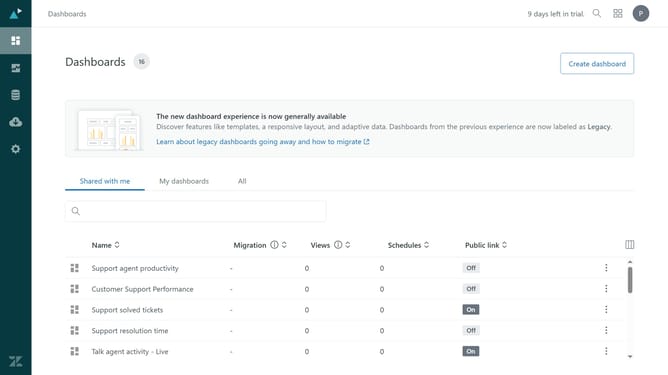
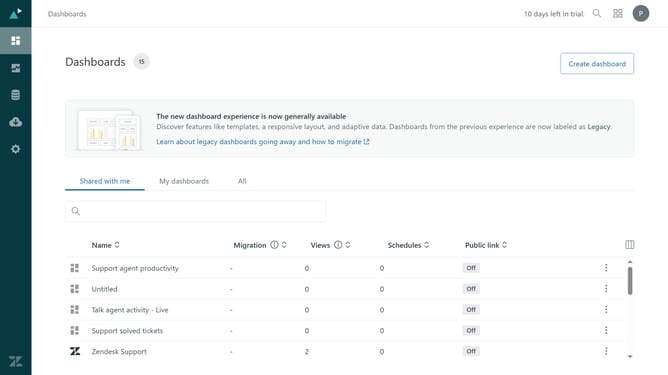
- First in Zendesk Explore, click the "Dashboards" icon in the left sidebar
- Then click on "Create dashboard" button in the top right corner
- Next select the "Blank dashboard" template to start with a blank dashboard
- Alternatively, browse the available dashboard templates and click on the one that best fits your needs
- Finally, click the "Select" button at the bottom to create the new dashboard
- Your new dashboard has been successfully created and is now ready for customization and sharing
Why should you create a dashboard from the dashboards library in Zendesk Explore
Zendesk is a powerful platform designed to enhance customer service experiences by streamlining interactions and support solutions.
Creating a dashboard from the dashboards library in Zendesk Explore offers a structured way to visualize data, enabling actionable insights and efficient decision-making.
Leveraging pre-built templates from the library saves time and ensures that your dashboard meets industry standards, driving better performance analysis and strategy formulation.
This feature empowers users by providing access to a wealth of information without the hassle of building from scratch.
Last update