How to create a custom object in Salesforce
Here is how to create a custom object in salesforce
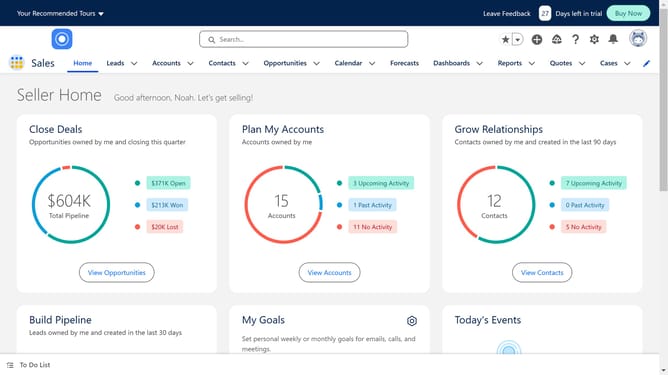
- Click the gear icon in the top-right header to open the Setup Menu
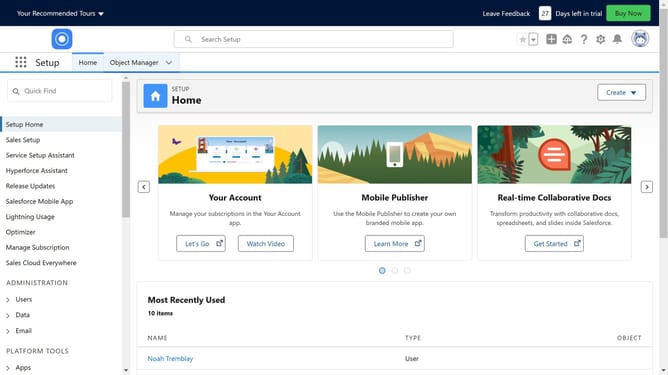
- Click on "Setup" option in the Setup Menu dropdown
- Click on "Objects and Fields" in the left sidebar menu
- Click on "Object Manager" under Objects and Fields in the expanded menu
- Click the "Create" button in the top-right corner of the Object Manager page
- Select "Custom Object" from the Create dropdown menu
- Fill in the details by giving your object a name and a plural form
- Click the "Save" button at the top of the Custom Object Definition form
Why should you create a custom object in Salesforce
Salesforce is a powerful cloud-based platform designed to enhance business efficiency and customer relationships.
Creating a custom object in Salesforce allows businesses to tailor-make solutions that precisely fit their unique processes. Instead of being confined to standard objects, companies can define and organize custom data structures to mirror their specific needs.
This flexibility greatly improves data management and reporting, ensuring the platform works intuitively for various business models. Custom objects empower teams to innovate without the constraints of a one-size-fits-all system.
Last update