How to add a tab in Salesforce
Here is how to add a tab in salesforce
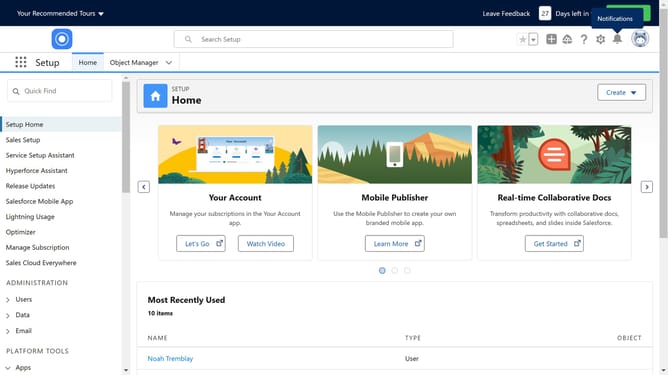
- First click on the "Object Manager" tab in the top navigation bar
- Click the "Create" dropdown button in the upper right corner
- Select "Custom Object" from the dropdown menu
- Provide a "Label" for the Custom Object
- You can enable the "Optional Features" as per your requirements
- Enable the checkbox "Launch New Custom Tab Wizard after saving this custom object"
- Click "Save" button in the confirmation dialog
- On the New Custom Object Tab page, click the "Tab Style" lookup icon
- In the Tab Style Selector popup, select a tab style from the available options
- Click the "Next" button at the bottom of the New Custom Object Tab page
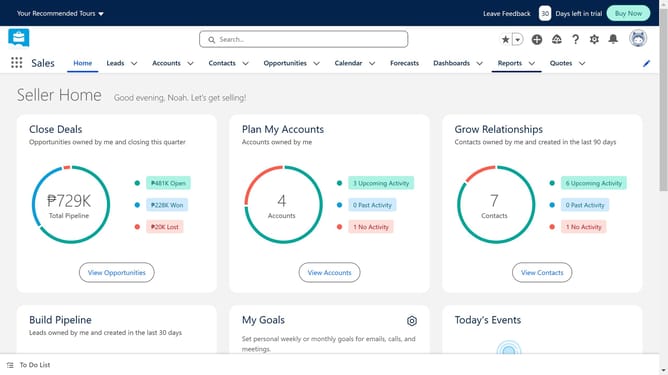
- Finally, click the "Save" button on the final tab configuration page
Why should you add a tab in Salesforce
Salesforce, a robust customer relationship management (CRM) platform, empowers businesses to connect with customers in a seamless and efficient manner.
Adding a tab in Salesforce allows users to customize their interface, providing quick access to the tools and data most relevant to their roles. This personalization enhances productivity as team members can streamline their workflow, focusing on what's important to them.
With each tab tailored to specific needs, organizations can improve data organization and accessibility, ultimately fostering a more responsive and efficient work environment.
Last update