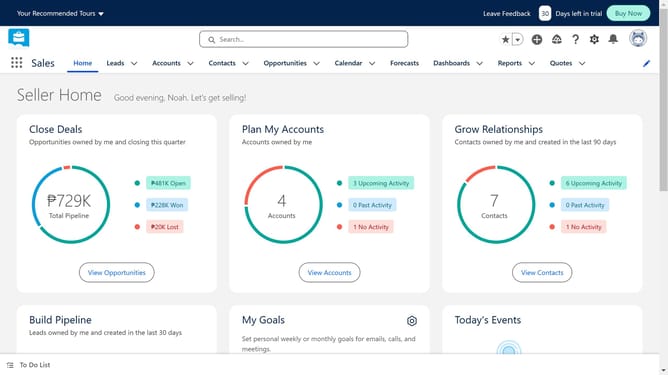
How to connect Salesforce to LinkedIn Sales Navigator
Here is how to connect salesforce to linkedin sales navigator
- First click in the search box in the header to start searching for an app
- Then type "LinkedIn" in the search box to find LinkedIn related apps
- Click on the first "LinkedIn" search suggestion from the dropdown list
- Click on the "LinkedIn Sales Navigator" app card in the search results
- Examine the app details and click on the "Try It Free" button to start installation
- Click on the "Try in your sandbox" option in the trial type selection
- Click on the "Continue to Installation" button after filling out the contact form
- Click on the "Log In & Install" button on the installation confirmation page
- Click on the "Use Custom Domain" link on the login page
- Click inside the custom domain input field
- Click on the "Continue" button after entering the custom domain
- Click on the "Install" button after choosing an installation option
- Click the checkbox to grant access to third-party websites
- Click the "Continue" button to approve third-party access
Why should you connect Salesforce to LinkedIn Sales Navigator
Salesforce is a leading CRM platform designed to streamline business operations and enhance customer relationships.
Connecting Salesforce to LinkedIn Sales Navigator offers a seamless way to enrich customer data with powerful insights. This integration allows sales professionals to leverage LinkedIn’s vast network directly within Salesforce, offering a comprehensive view of prospects and clients.
By uniting these tools, you can boost efficiency, align your sales strategies, and gain a significant edge by having actionable social insights at your fingertips.
Last update