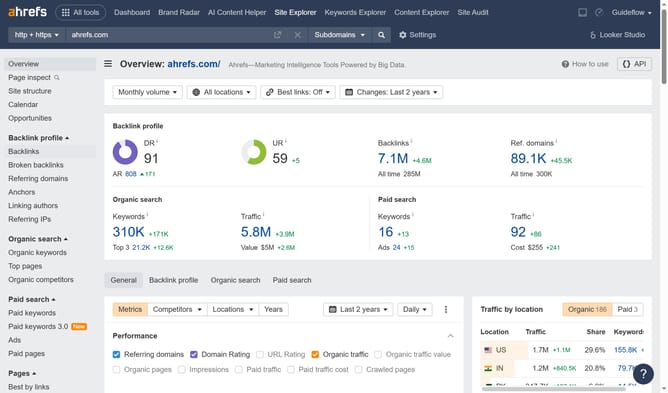
How to check referring pages for broken backlinks in Ahrefs
Here is how to check referring pages for broken backlinks in ahrefs
- First click on "Site Explorer" in the top navigation menu
- Enter the domain in the search field
- Click the search button to analyze the domain
- Click on "Broken backlinks" in the left sidebar menu
- Click the dropdown filter in the search options
- Click the "Ref. page title" option from the dropdown
- Enter the word you want to search in the field to enter a search term
- Click the "Show results" button to apply the newly created filter
- Here in this column you will find all the Referring page related to the word you searched
Why should you check referring pages for broken backlinks in Ahrefs
Ahrefs is a comprehensive SEO tool designed to boost your website’s search engine performance.
An essential feature, checking referring pages for broken backlinks in Ahrefs, helps you maintain a healthy backlink profile.
By identifying and addressing broken links, you can enhance your site's credibility and search engine ranking.
Utilizing this feature ensures you make the most out of your existing backlinks, preserving valuable traffic and improving overall site authority.
Last update