How to analyze referring domains in Ahrefs
Here is how to analyze referring domains in ahrefs
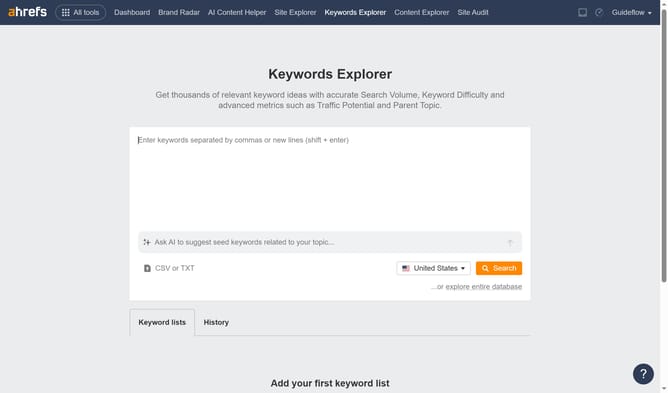
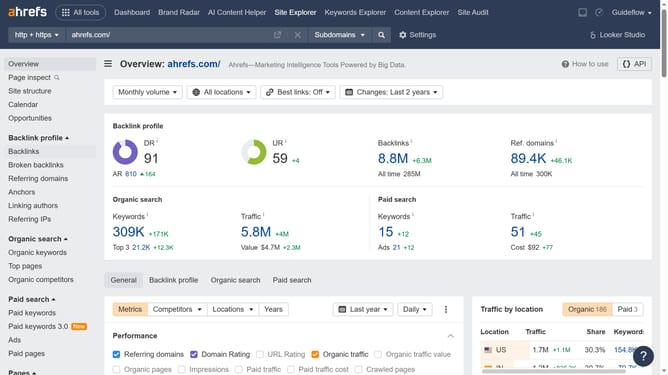
- First click on "Site Explorer" in the top navigation menu
- Then enter the domain name in the search box
- Then click the orange search button to analyze the domain
- In the left sidebar, click on "Backlinks" under the "Backlink profile" section
- Finally, click the number in the "Referring domains" column to analyze the referring domains behind the backlink
Why should you analyze referring domains in Ahrefs
Ahrefs is a powerful tool designed to boost your search engines visibility by providing in-depth SEO analysis.
Analyzing referring domains in Ahrefs allows you to understand your backlink profile better. By examining these domains, you can assess the quality and quantity of links directing traffic to your site.
This feature helps identify authoritative domains, offering insights into link-building opportunities and strategic improvements. Using this data fosters a stronger online presence and drives significant organic growth.
Last update