How to change paragraph font style to italic in an email campaign in Mailchimp
Here is how to change paragraph font style to italic in an email campaign in mailchimp
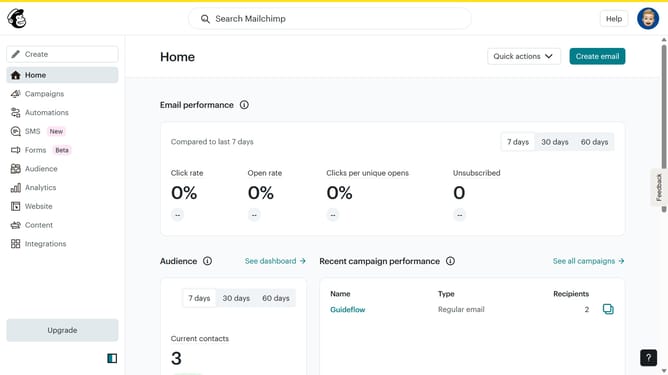
- First click on the "Home" item in the left sidebar
- Then click on the "Edit" button
- Click on the "Edit design" button at the bottom of the screen
- Then select the "Styles" option from the left sidebar menu
- In the "Email Design" section, click on the "Text" option
- Finally, click on the "I" or Italic button in the text formatting options
Why should you change paragraph font style to italic in an email campaign in Mailchimp
Mailchimp is a powerful platform for creating effective email marketing campaigns to engage audiences easily.
Changing the font style to italic in a Mailchimp email campaign is a subtle yet impactful way to emphasize important points. This feature allows you to highlight quotations, special offers, or call-to-action elements, making them stand out to the reader.
The italicization feature is not just about aesthetics; it can enhance readability by guiding the reader's eye and focusing their attention on critical parts of your message. This simple visual tool can significantly improve engagement and communication effectiveness in your email marketing strategy.
Last update