How to add users in Salesforce
Here is how to add users in salesforce
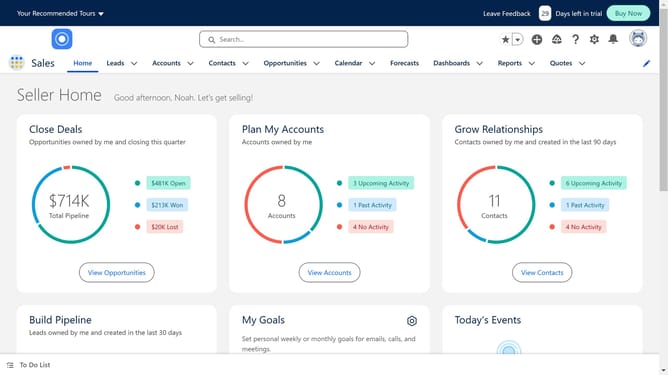
- First, click on the "Settings" icon in the top menu bar
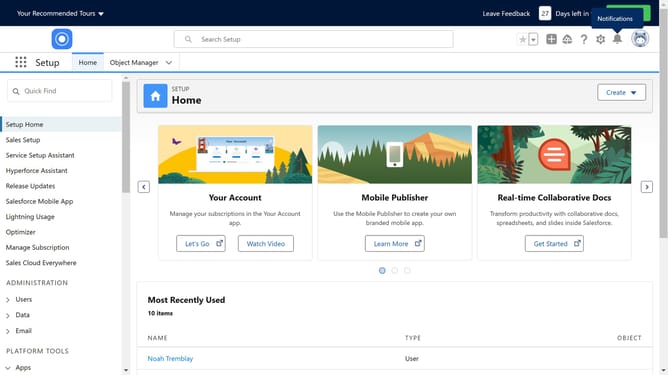
- Then click on the "Setup" option from the setup menu dropdown
- Next, click on the "Users" item in the left sidebar under ADMINISTRATION section
- Click on the "Users" option under the expanded Users menu in the left sidebar
- Fill in the details like name, access level, role, and others
- Check the Generate new password and notify user immediately box
- Finally, click on the "Save" button at the bottom of the form to create the new user
Why should you add users in Salesforce
Salesforce is a powerful customer relationship management (CRM) tool designed to streamline business processes and enhance customer interactions.
Adding users in Salesforce is a feature that empowers businesses by allowing seamless collaboration among team members. By efficiently managing who has access to vital business information, organizations can ensure that the right people have the right tools to succeed.
This feature not only enhances productivity but also supports a secure work environment, fostering effective teamwork and ultimately driving business growth.
Last update