How to add an "Add to Cart" element in Webflow
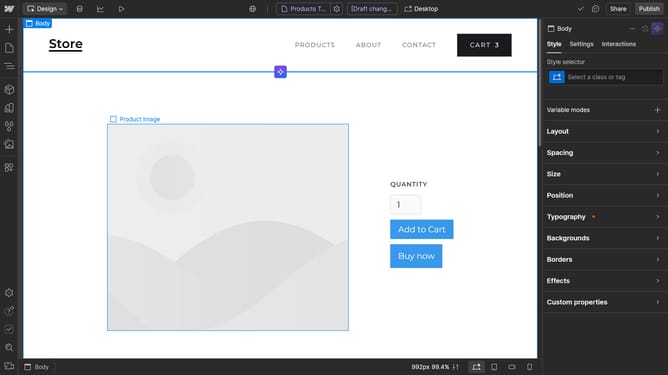
Here is how to add an "add to cart" element in webflow
- First click on the "Add Elements (A)" button in the left sidebar
- Then click on the "Search elements" field in the left sidebar elements panel
- Type "add" in the search field to filter elements
- Finally, drag the "Add to Cart" element to the desired location on your canvas
Why should you add an "Add to Cart" element in Webflow
Webflow empowers creators to design visually stunning websites with ease and flexibility.
Adding an "Add to Cart" element in Webflow enhances user experience by streamlining the purchasing process directly from the website. This feature is seamlessly integrated to provide a smooth shopping journey, facilitating quick and uncomplicated transactions.
Utilizing this element is vital for e-commerce sites aiming to boost conversion rates and improve user engagement. By simplifying the purchase path, businesses can ensure a more efficient, customer-friendly shopping experience.
Last update