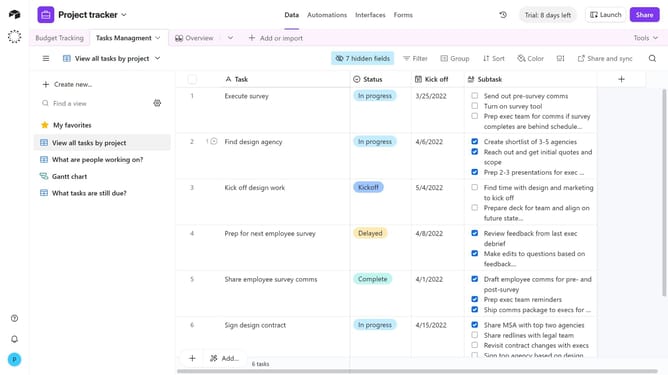
How to add a new field to a table in Airtable
Here is how to add a new field to a table in airtable
- First, navigate to your preferred base and open the table where you want to add the field
- Next, click the "+" button in the top-right corner of the table columns
- Then, select your preferred field type from the dropdown menu
- Enter a name for your field in the Field name input
- Next configure any additional options for the field
- Finally click the "Create field" button to add the new field to your table
Why should you add a new field to a table in Airtable
Airtable is a versatile platform that combines the features of a spreadsheet and a database to empower teams to organize anything, anywhere.
Adding a new field to an Airtable table is a powerful feature that enhances data customization. Doing so allows users to tailor their databases precisely to their needs, ensuring relevant information is captured and categorized effectively.
This flexibility supports a wide variety of use cases, from project management to event planning, offering a tailored solution that adapts to evolving data requirements seamlessly.
Last update