



You wrote the melody in your head on the drive home. Now you need it on paper, played back, and printed for the section leads by Friday.
That last mile is where notation software either helps or fights you. Slow note entry, playback that sounds like a toy keyboard, an export that mangles your slurs when it lands in someone else's tool: Any of these can turn a two-hour job into a lost afternoon.
The category itself keeps growing. The music notation software market reached USD 1.5 billion in 2024 and is projected to hit USD 3.2 billion by 2033 at an 8.1% CAGR, according to Business Research Insights (2025). More tools, more pricing models, more decisions.
The right pick depends less on which brand is loudest and more on how you actually work: Blank page to final score, solo or shared, desktop-only or browser-first. Get that match right and the software disappears. Get it wrong and you fight it on every project.
What's inside
This guide is for anyone choosing a tool to write, hear, print, and share sheet music: Composers, arrangers, educators, students, and hobbyists. We compared seven options and ranked them by how well they fit real workflows, not marketing claims.
We scored each tool on four criteria that matter most when you commit:
- Platform support: Web, desktop, mobile, and which operating systems each covers
- Pricing model: Free, subscription, or perpetual, and where the free tier stops
- Interoperability: MusicXML and MIDI import and export so scores move between tools
- Playback and collaboration: Sound quality and whether shared editing is built in
TL;DR
- Best free and open source: MuseScore Studio gives you full desktop notation on Windows, macOS, and Linux at no cost.
- Best browser-based option: Noteflight runs in any browser with sharing and education workflows built in.
- Best for professional engraving: Dorico produces publisher-grade output, with a free SE edition to start.
- Best established pro standard: Sibelius offers a free First tier and paid Artist and Ultimate plans for scaling staff counts.
- Best for real-time collaboration: Flat works across web, desktop, and mobile with live co-editing.
- Best for classrooms: Noteflight Learn adds assignment grading and managed student environments.
- Best for score discovery: MuseScore.com is where you browse, publish, and share finished work.
What is music notation software?
Music notation software is a tool that lets you create, edit, play back, print, and export written music, turning notes you enter into a readable score. It replaces hand-copying staff paper with a digital canvas that also plays what you write.
Music writing software has moved well past simple note placement. Modern music composition software handles engraving, playback with sampled instruments, and file formats that let scores travel between tools without starting over.
Here are the core capabilities to expect:
- Note entry: Mouse, computer keyboard, or MIDI keyboard input for fast score creation
- Playback: Sampled instrument sounds so you hear the arrangement before rehearsal
- MusicXML support: The interchange format that moves scores between different notation tools
- MIDI support: Import and export for connecting to DAWs and hardware
- Export and print: PDF, image, and audio output for parts, lead sheets, and full scores
- Collaboration: Shared editing or cloud storage for teams working on the same piece
Cloud delivery is now the default rather than the exception. Cloud-based deployment held a 65.8% market share in 2025 in the music notation collaboration platforms market, per Market Intelo (2025). That shift matters if you want scores accessible from any machine without a local install.
The category splits along a few lines. Free tools like MuseScore Studio cover most personal and educational needs. Browser-first tools trade some engraving depth for access from anywhere. Professional desktop tools like Dorico and Sibelius add fine engraving control that publishers and serious arrangers rely on. Sheet music software also spans a discovery layer, where finished scores get shared and found by other musicians.
When to use music notation software
Write scores from scratch
You reach for notation software when you start from a blank page: A new arrangement, an original composition, or a student exercise. The tool has to keep note entry fast enough that your ideas do not stall while you fight the interface. Composers and arrangers working on full scores need staff counts and engraving control that hold up as the piece grows.
Collaborate across devices
Shared editing matters when more than one person touches the score, or when you move between a studio desktop and a laptop on the road. Browser-based and cloud-synced tools let a co-writer open the same file, leave edits, and keep everyone on the current version. This is the difference between emailing files back and forth and working in one place.
Export and print sheet music
Sometimes the whole point is clean output: Printed parts for an ensemble, a lead sheet for a gig, or a PDF to send a publisher. Here the export engine and print layout carry the weight. Good MusicXML export also means a collaborator on a different tool can open your work without it falling apart.
Music notation software comparison
The table below sorts the seven tools by general-use relevance, with the strongest all-around options first. Pricing reflects each vendor's current published plans. G2 ratings are shown where a current listing exists; several notation tools are not actively rated on G2, so those cells are marked accordingly.
| # | Product | Best for | Key differentiator | Pricing | G2 rating |
|---|---|---|---|---|---|
| 1 | MuseScore Studio | Free desktop notation | Full-featured, open source, no cost | Free | Not listed |
| 2 | Noteflight | Browser-based writing | Runs entirely in a browser | Free / $7.95 per month | 4.2 |
| 3 | Dorico | Professional engraving | Automatic publisher-grade layout | Free / from $99.99 one-time | Not listed |
| 4 | Sibelius | Established pro standard | Staff counts scale by tier | Free / from $99 per year | Not listed |
| 5 | Flat | Real-time collaboration | Live co-editing across devices | Free / paid Power plan | 4.9 |
| 6 | Noteflight Learn | Classrooms and education | Assignment grading workflow | From $69 per year | 4.2 |
| 7 | MuseScore.com | Score discovery | Sharing and publishing layer | Free tier available | Not listed |
Best music notation software for 2026
1. MuseScore Studio
MuseScore Studio is free, open-source music notation software for Windows, macOS, and Linux. It covers score creation, MIDI keyboard input, and MusicXML and MIDI transfer, which means your work moves in and out of other tools without a rebuild. The open-source community around it produces plugins, tutorials, and support that few paid tools match.
Best for: Individuals or teams who want full desktop notation without paying for it.
Key features
- Music notation and score creation
- MIDI keyboard input
- MusicXML and MIDI import and export
- Cross-platform: Windows, macOS, Linux
- Active open-source community and plugins
Why choose MuseScore Studio: If cost is the deciding factor and you work on a desktop, this is the strongest starting point. You get real notation depth for zero spend, with a community that fills gaps a support desk normally would.
MuseScore Studio pricing: The software is completely free with no paid tiers. There is nothing to subscribe to and no feature locked behind a plan.
MuseScore Studio does not carry a current G2 rating in the listings reviewed, so no score is shown here. Its reputation rests instead on its download base and open-source contributor community.
2. Noteflight
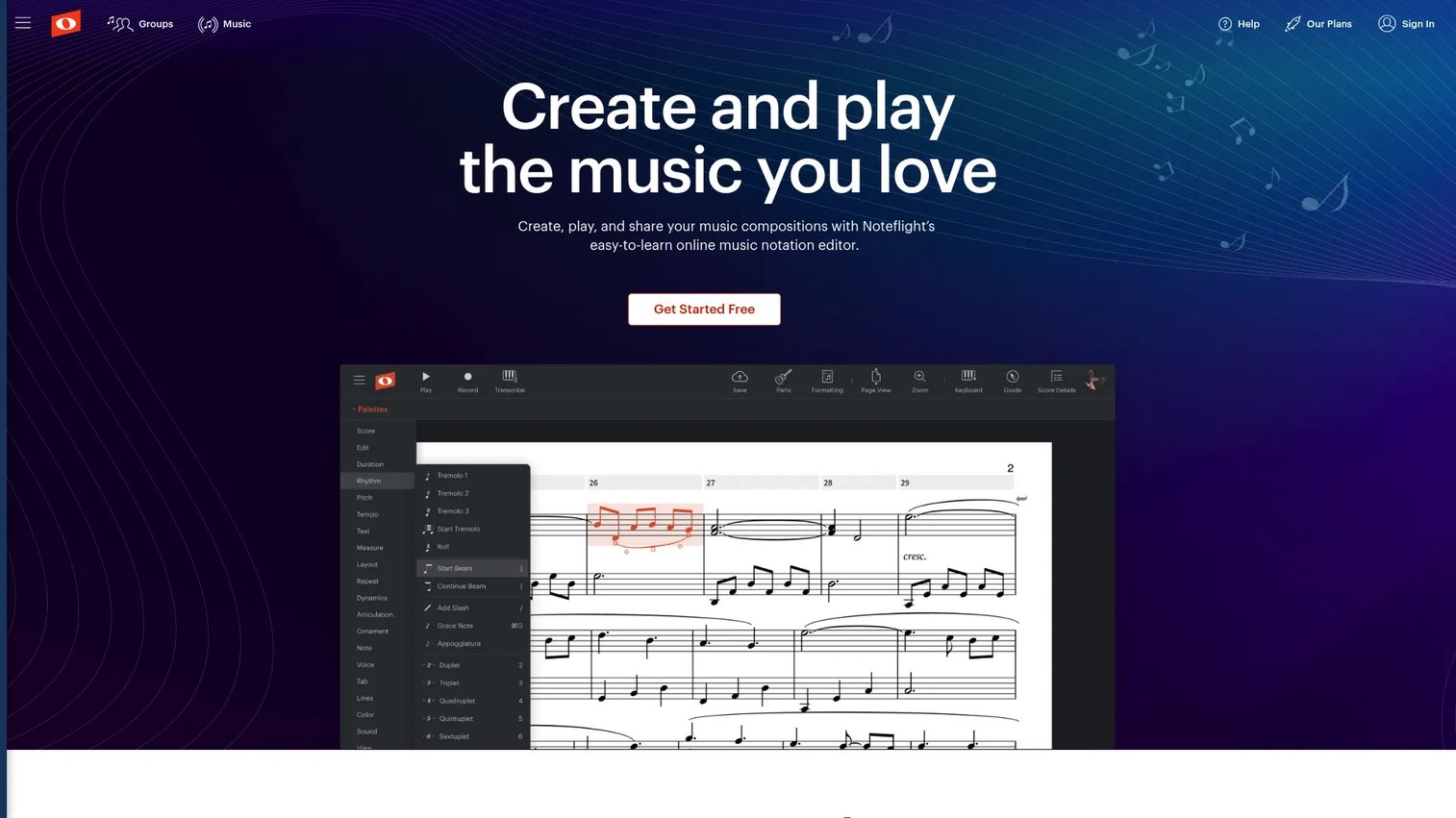
Noteflight is cloud-based online music notation software for composing, sharing, and buying sheet music. It runs in a browser, so there is no install and no operating system to worry about. That access model makes it a fit for musicians and teachers who move between machines and want their scores available everywhere.
Best for: Musicians, teachers, and schools who need browser-based notation and easy sharing.
Key features
- Online music notation editor
- Cloud-based sharing and collaboration
- Access to a large digital sheet music library
- No install required
- Works on any modern browser
Why choose Noteflight: Pick it when you want notation without desktop software and value sharing a link over exporting a file. The browser-first design removes the setup step entirely.
Noteflight pricing: A free Basic account is available. Noteflight Premium runs $7.95 per month or $49 per year. The Learn plan for schools starts from $69 per year with a 10-user minimum.
Noteflight holds a 4.2 out of 5 rating on G2, based on its reviews there.
3. Dorico
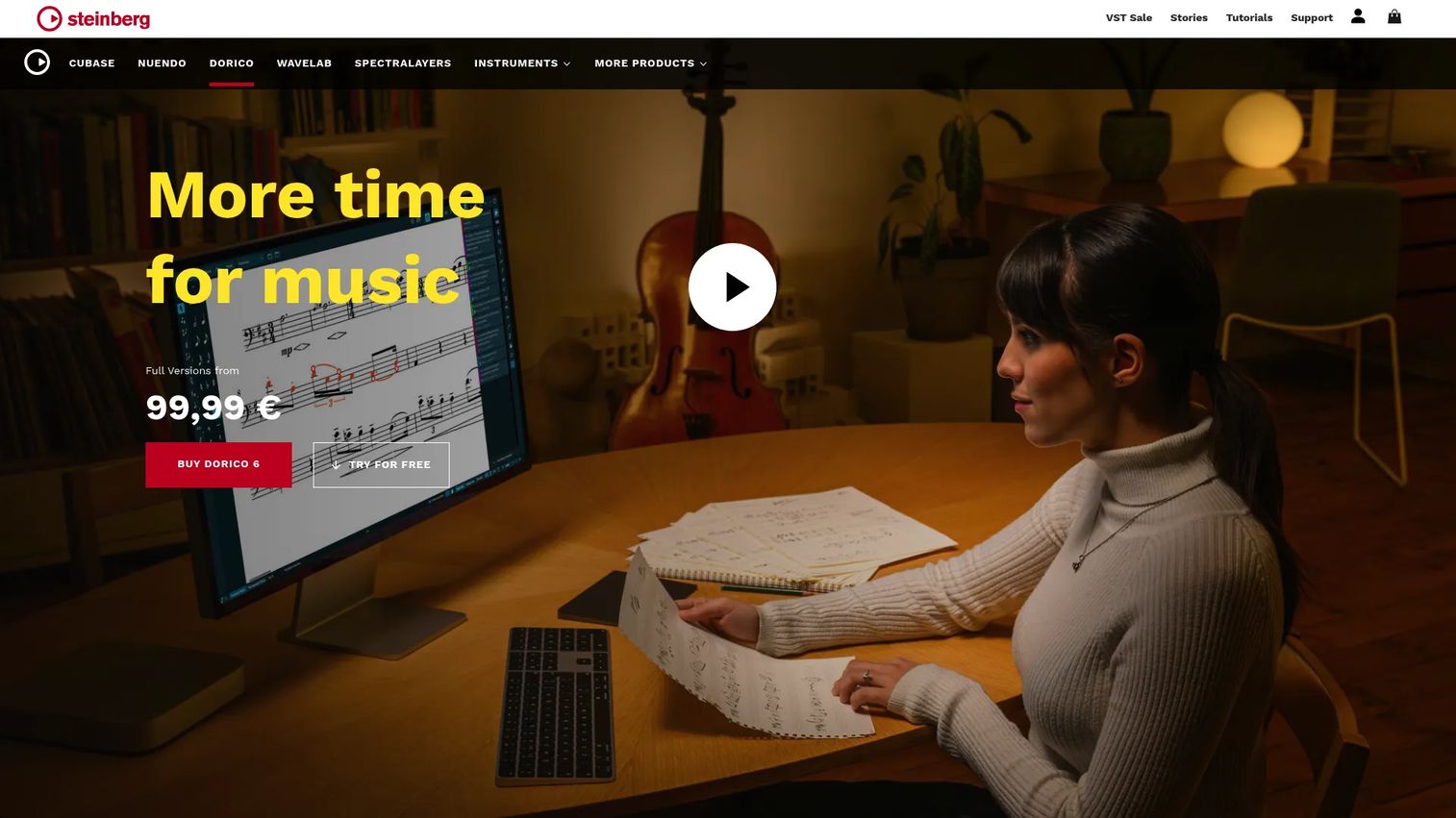
Dorico is music notation and composition software from Steinberg, built around automatic engraving that produces publisher-grade layout with little manual cleanup. It imports and exports MusicXML and MIDI, and ships in several editions covering a free tier through professional desktop work. Composers, arrangers, and publishers reach for it when output quality is the point.
Best for: Composers, arrangers, educators, and publishers who need professional engraving.
Key features
- Automatic engraving for clean layout
- MusicXML and MIDI import and export
- Editions: SE, Elements, Pro, and iPad
- Free SE and iPad versions
- Professional-grade score output
Why choose Dorico: Choose it when engraving quality decides the project and you want the software to handle layout so you do not have to. The free SE edition lets you test the workflow before committing to a paid tier.
Dorico pricing: Dorico SE and Dorico for iPad are free. Dorico Elements 6 is a one-time $99.99, and Dorico Pro 6 is a one-time $579.99, so you own the license outright rather than renting it.
Dorico does not have a confirmed current G2 rating in the sources reviewed, so no score appears here.
4. Sibelius
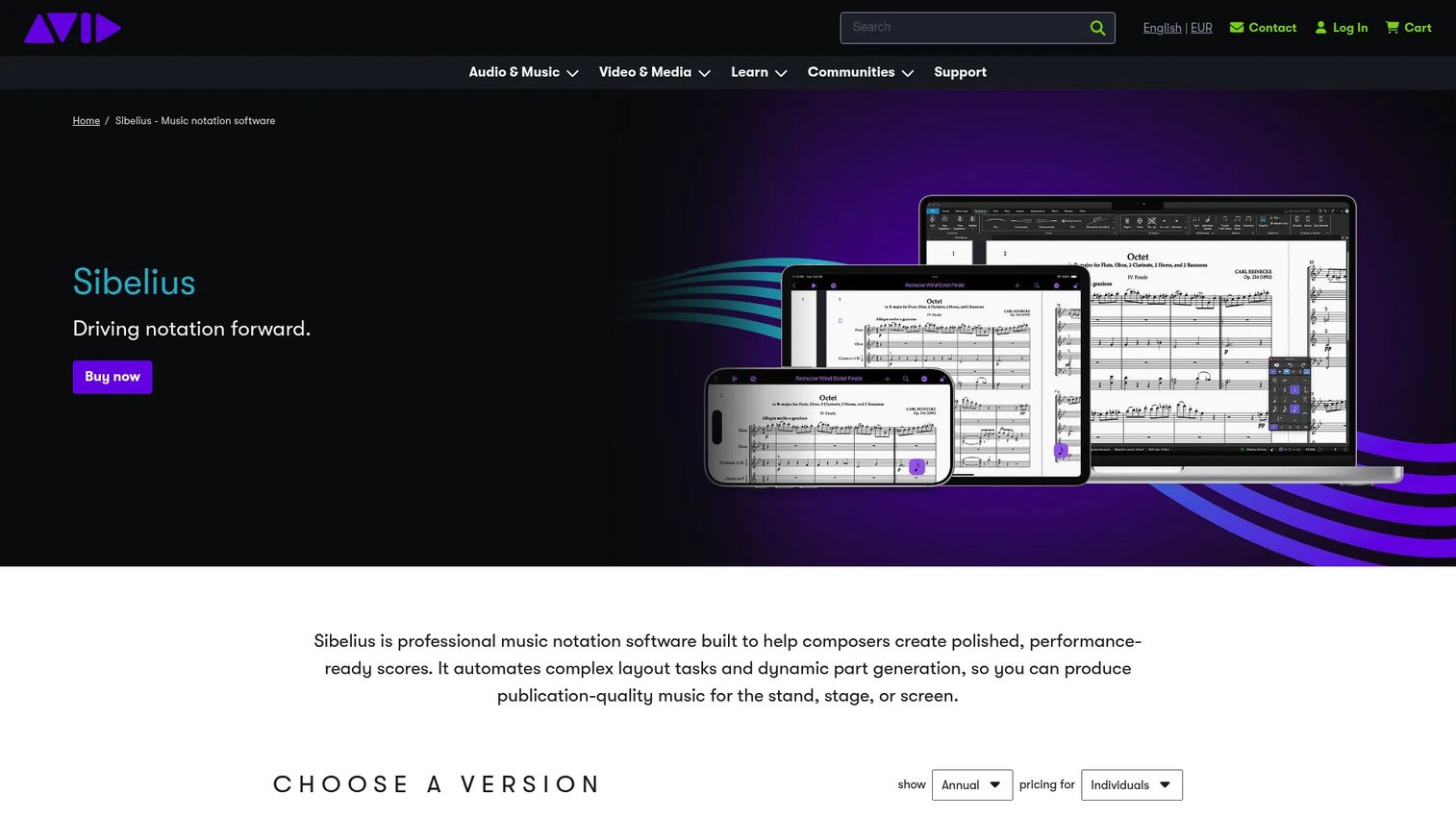
Sibelius is music notation software from Avid for composing, arranging, and publishing scores. Its tiers scale by staff count, from four staves on the entry level to unlimited on the top plan, so you pay for the score size you actually write. It has a long track record in professional and educational settings.
Best for: Composers, arrangers, and educators who want an established professional notation tool.
Key features
- Sibelius First: Up to 4 staves
- Sibelius Artist: Up to 16 staves
- Sibelius Ultimate: Unlimited staves
- Note entry across multiple input methods
- Perpetual license options on paid tiers
Why choose Sibelius: Reach for it when you want a proven pro standard and a tier that matches your project scale. The free First tier is a low-risk way to test the note entry workflow before you scale up.
Sibelius pricing: Sibelius First is free. Sibelius Artist is $99 per year and Sibelius Ultimate is $199 per year, with perpetual licenses available on the Artist and Ultimate tiers.
Sibelius does not have a reliable current G2 rating in the listings reviewed, so no score is shown here.
5. Flat
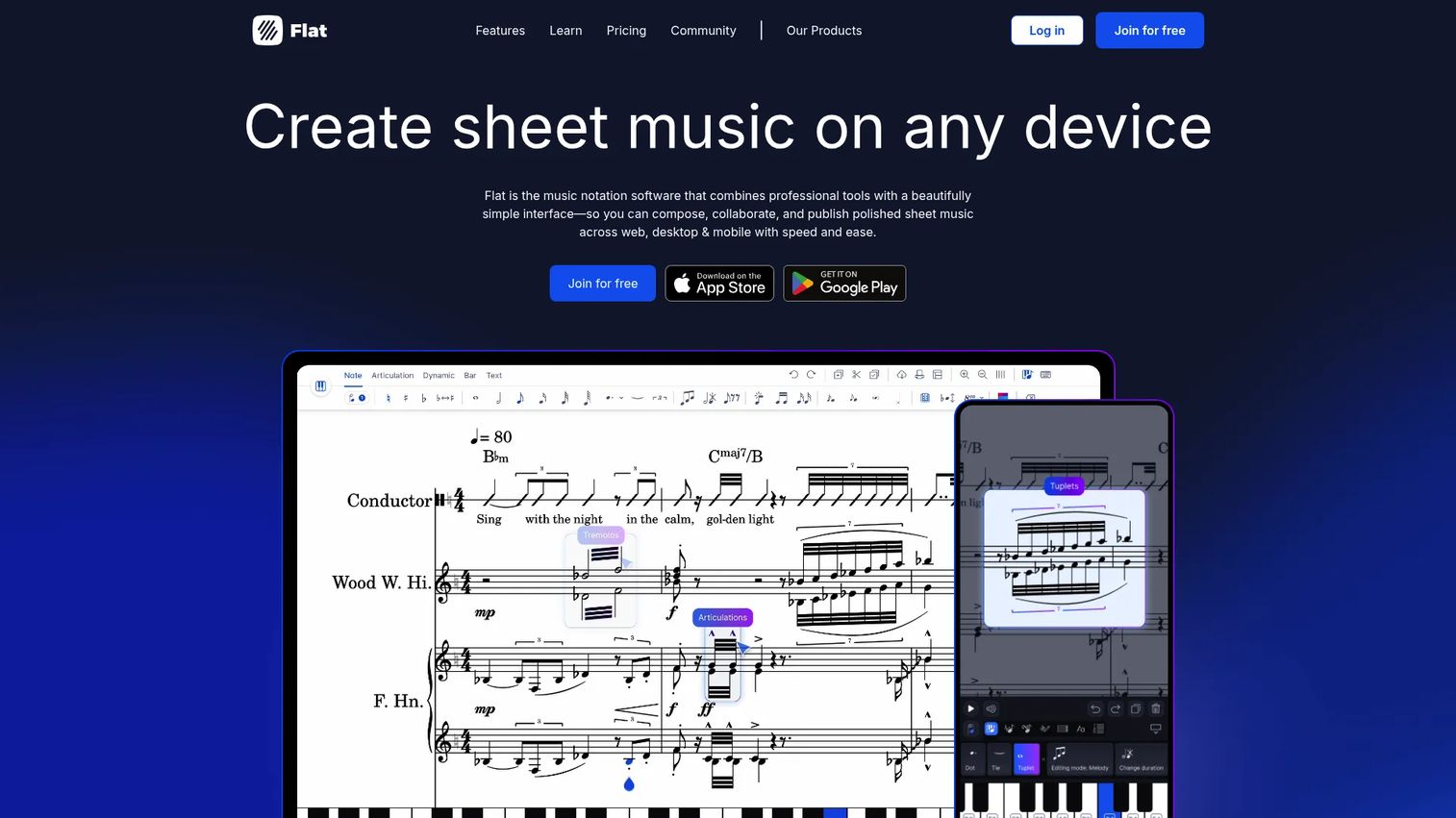
Flat is music notation software for web, desktop, and mobile with real-time collaboration built in. Multiple people can edit the same score at once, and an offline mode keeps you working without a connection. It imports and exports MusicXML and MIDI, so scores move cleanly to and from other tools.
Best for: Composers, educators, and teams who need collaborative sheet-music notation across devices.
Key features
- Real-time collaboration on shared scores
- Offline mode for editing without a connection
- MusicXML and MIDI import and export
- Web, desktop, and mobile access
- Community-scale score sharing
Why choose Flat: Choose it when more than one person edits the score and you want changes to sync live rather than trade files. The cross-device reach means the same project follows you from phone to laptop.
Flat pricing: A free Basic plan is available. Flat offers a paid Power plan on monthly, yearly, and lifetime terms; per Flat's own blog, the lifetime price rises to $299 starting November 10, 2026.
Flat holds a 4.9 out of 5 rating on G2, based on its product reviews there.
6. Noteflight Learn
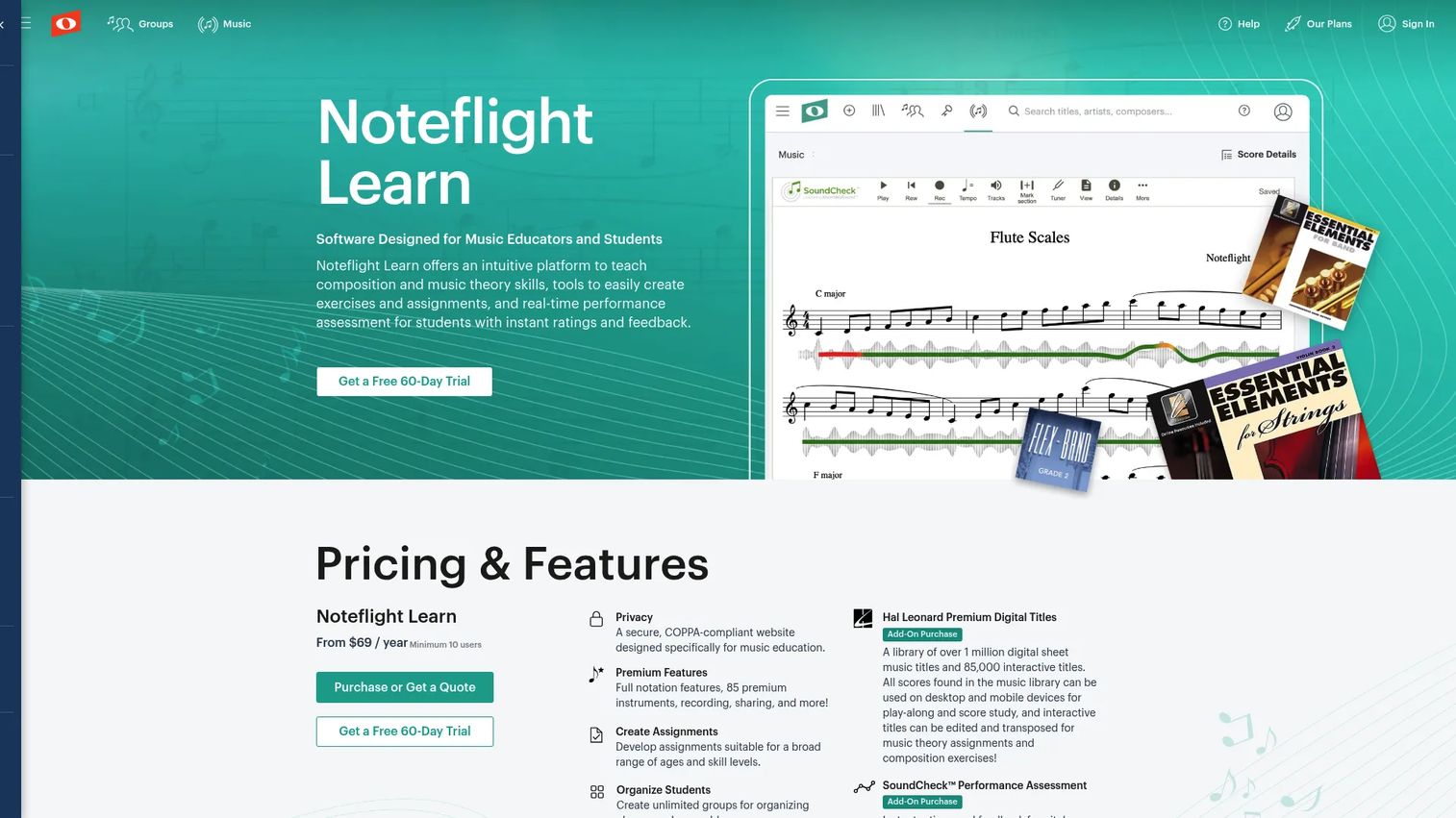
Noteflight Learn is web-based music education software built for teachers and students. It layers assignment creation and grading on top of the Noteflight editor, plus LMS integrations and performance assessment. Teachers run a managed environment where students compose, submit, and get feedback in one place.
Best for: Music teachers and school programs who need a composition and assessment platform for the classroom.
Key features
- Music composition and theory tools
- Assignment creation and grading workflow
- LMS and classroom integrations
- SoundCheck performance assessment
- Managed student environment
Why choose Noteflight Learn: Pick it when the goal is teaching, not just writing, and you need student work organized and gradeable. The managed environment keeps a full class working inside one system.
Noteflight Learn pricing: Plans start from $69 per year with a 10-user minimum. The SoundCheck performance assessment add-on runs $8 per user per year.
Noteflight Learn shows a 4.2 out of 5 rating on G2, tied to the Noteflight product reviews there.
7. MuseScore.com
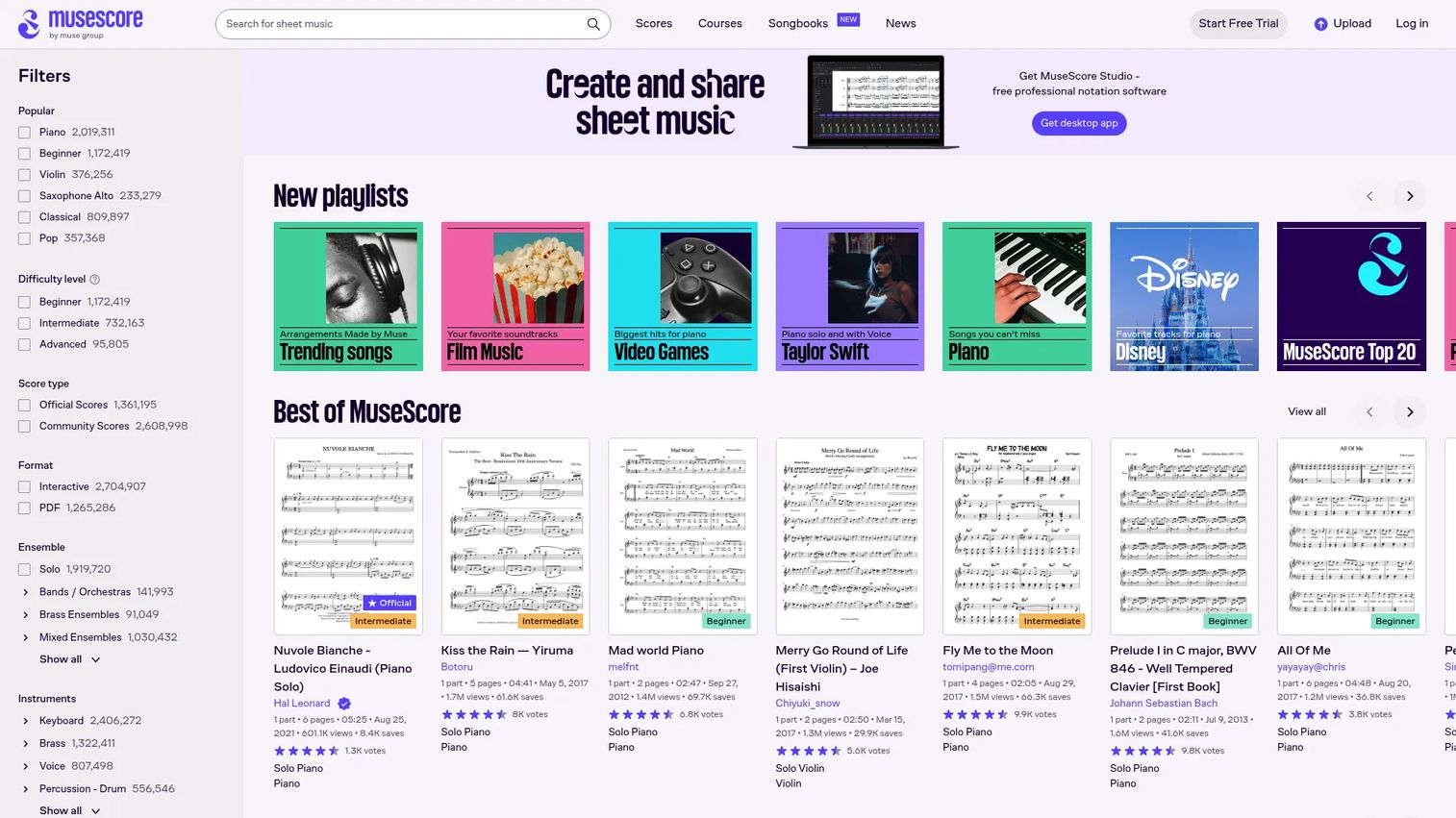
MuseScore.com is the online sheet-music platform and browser-based tool set from MuseScore. It is less a blank-page editor and more a place to browse scores, discover arrangements, and publish your own. It complements the desktop MuseScore Studio by giving finished work a home and an audience.
Best for: Musicians who want score discovery and free browser-based music tools.
Key features
- Free online music tools in the browser
- Sheet music browsing and discovery
- Community publishing of scores
- Courses and digital books
- Pairs with MuseScore Studio
Why choose MuseScore.com: Reach for it when sharing and finding scores matters as much as writing them. It rounds out the MuseScore workflow rather than replacing a full notation editor.
MuseScore.com pricing: A free tier is available, and the platform runs paid plans through its Pro landing page. The specific plan prices were not visible in readable text on the pricing page reviewed, so confirm current numbers directly on the site before subscribing.
MuseScore.com does not carry a current G2 rating in the sources reviewed, so no score is shown here.
Considerations
Before you commit to any tool, run through this checklist. A wrong pick is not just wasted money; it is a workflow you fight on every project.
Platform fit
Confirm the tool runs where you work. Check browser, desktop, and mobile support, plus the specific operating system on your machines. A desktop-only tool is a poor fit if half your writing happens on a borrowed laptop or a tablet.
Interoperability
Verify MusicXML and MIDI import and export before you build a library inside one tool. These formats decide whether your scores can move to a collaborator's software or a DAW later. Locking a year of work into a format nobody else reads is an avoidable mistake.
Licensing and pricing
Compare the models directly, since they differ sharply. Some tools are free, some charge an annual subscription, and some sell a one-time perpetual license you own. Match the model to how long you plan to use it and whether you want a recurring line item.
Support and learning resources
Look for help centers, active forums, and tutorials, especially for the deeper tools. Open-source communities and education-focused platforms often carry strong learning material. Good resources shorten the time between install and your first finished score.
Collaboration needs
Decide whether real-time co-editing matters or whether cloud storage is enough. Teams and classrooms benefit from live shared editing; a solo composer rarely needs it. Do not pay for collaboration features you will never open.
Conclusion
The right notation tool comes down to how you work, not which name you recognize. MuseScore Studio is the strongest free desktop pick and covers most personal and educational needs at no cost. Noteflight and Flat win on browser access, with Flat adding real-time collaboration for teams. Dorico and Sibelius carry the professional engraving load when output quality decides the project. Noteflight Learn fits the classroom, and MuseScore.com is where finished scores get shared and found.
Start with the tool that matches your workflow, not the one with the flashiest homepage. If cost is your first filter and you work on a desktop, try MuseScore Studio this week. If you need scores available from any browser or want a co-writer editing alongside you, test Noteflight or Flat. Most of these offer a free tier, so you can write a real piece before you pay a cent.
Start your journey with Guideflow today!
FAQs
The basics are quick: Entering notes, setting a time signature, and playing back a short passage take minutes in most tools. The learning curve steepens with advanced engraving and complex scores, where pro tools like Dorico ask more of you. Browser-based tools like Noteflight tend to be the gentlest starting point.
MuseScore Studio is the strongest free music notation software for desktop, since it is fully free and open source with no feature caps. For a free browser option, Noteflight offers a Basic account, and both Dorico and Sibelius provide free entry tiers (SE and First). Which fits best depends on whether you want desktop depth or browser access.
Yes. Noteflight and Flat run entirely in a browser, so there is no install and no operating system requirement. MuseScore.com also offers browser-based tools. Browser tools are the easiest way to write from any machine and share a score with a link.
Most serious tools do. MuseScore Studio, Dorico, and Flat all import and export MIDI, and support MIDI keyboard input for faster note entry. MIDI support matters if you connect to a DAW or hardware, so confirm it on the specific tool before you commit.
Yes. Every tool here exports to PDF and print-ready formats for parts, lead sheets, and full scores. Print layout and engraving quality vary, with pro tools like Dorico and Sibelius offering the finest control. A sheet music maker is only as useful as the clean output it produces.
Noteflight and MuseScore Studio are the friendliest starting points. Noteflight removes the install step and keeps the interface simple, while MuseScore Studio is free and backed by a large community with plenty of tutorials. Both let a beginner write and hear a first piece without a steep setup.
The two overlap heavily, and most modern tools do both. Notation software focuses on writing and printing readable scores, while composition software emphasizes creating and arranging music, often with richer playback. Tools like Dorico and Sibelius sit in both camps, handling composition and publisher-grade notation in one place.
Yes, through MusicXML, the interchange format nearly every notation tool supports. Export from one tool as MusicXML and import into another to move a score without rebuilding it. Check both tools support MusicXML export and import before you rely on it, since fidelity can vary on complex scores.










