



You download a MIDI program to fix one file. Three hours later you're staring at a full digital audio workstation, hunting for a menu that lets you nudge a single note.
That mismatch is the real problem with picking MIDI software. Some tools are lightweight editors for cleaning up a file. Some run entirely in a browser with no install. Others are full multitrack production suites where MIDI editing is one feature among dozens.
Pick the wrong category and you either overpay for depth you never touch or hit a wall when your project grows. The music production software market reached USD 1.53 billion in 2025 and is forecast to hit USD 2.02 billion by 2030 at a 5.5% CAGR, according to The Business Research Company (2026). More tools, more overlap, more ways to choose wrong.
So the question isn't "which is best." It's "best for what."
What's inside
This guide is for anyone choosing a MIDI editor or MIDI production tool without wanting to test five apps first. Whether you're cleaning up a single file or building a full arrangement, the picks below map to real workflows.
We chose these tools on four criteria:
- Editing depth: How precisely you can edit notes and events
- Platform support: Windows, Linux, macOS, or browser-based access
- Free tier: Whether you can start without paying
- Export workflow: MIDI download, WAV export, and DAW handoff
Every pricing figure and rating below was checked against the vendor's own pages.
TL;DR
- Best free desktop editor: MidiEditor for simple MIDI file editing and playback on Windows and Linux.
- Best online MIDI editor: signal for browser-based editing, Web MIDI API support, and fast WAV export.
- Best multitrack production: MixPad MIDI Editor for recording, sequencing, and mixing in one app.
- Best Windows freeware: Anvil Studio for free MIDI composition with optional paid add-ons.
- Best if you want cross-platform depth: MixPad, which runs on desktop and mobile.
- Best if you want no-install access: signal, which needs nothing but a browser tab.
What is midi software?
MIDI software is any tool that lets you create, edit, record, sequence, and play MIDI data instead of raw audio. MIDI files store note and timing instructions, not sound, so the software renders them through instruments or SoundFonts.
A MIDI editor focuses on the notes themselves. You open a file, correct timing, adjust velocities, and export. A MIDI maker leans toward composition, letting you build arrangements from scratch. Full production tools add multitrack recording, audio mixing, and plugin support on top of the MIDI layer.
Most tools share a core set of capabilities. The piano roll is where you draw and move notes. Quantize snaps sloppy timing to a grid. Humanize adds back subtle imperfection so a sequence doesn't sound robotic. Controller support lets a hardware keyboard feed notes straight in.
Free MIDI software covers the essentials for most hobbyists, while paid tools add production depth. An online MIDI editor removes install friction entirely, running the whole audio and MIDI workflow in a browser tab.
Core features to expect:
- MIDI file import and export
- Note-level editing in a piano roll
- Hardware controller input
- Playback and sequencing
- Audio or WAV export
- Multitrack workflow in production-grade tools
The right pick depends less on feature count and more on where the work happens: A quick file fix, a browser session, or a full arrangement headed to a mix.
When to use midi software
Edit a MIDI file without opening a DAW
Sometimes you just need to correct a few notes or clean up timing. Loading a heavy production suite for that is overkill. A focused MIDI editor opens the file, lets you fix note and event data, and plays it back in seconds. This is the fastest path for simple cleanup and learning how MIDI data behaves.
Record from a keyboard or synth
If you play, you want your hardware feeding notes directly into the software. Controller input captures your performance live, then you tidy it up afterward. Look for MIDI I/O support and reliable device detection. Recording live beats mouse-drawing every note when you already have the parts in your hands.
Build a song with sequencing and mixing
When one MIDI track becomes twelve, and you need audio alongside them, editing tools stop being enough. Multitrack recording, sequencing across parts, and audio mixing matter more here. This is where a full production tool with plugin support earns its place, turning loose ideas into a finished arrangement.
MIDI software comparison
Here's how the four tools stack up across use case, differentiator, pricing, and rating. Free tools dominate the editor end; paid depth shows up once you need multitrack production. Ratings are listed only where a verified G2 listing exists.
| # | Product | Best for | Key differentiator | Pricing | G2 rating |
|---|---|---|---|---|---|
| 1 | MidiEditor | Free desktop MIDI editing | Simple note and event editing on Windows and Linux | Free (donation-supported) | Not rated |
| 2 | signal | Online MIDI editing | Browser-based with Web MIDI API and WAV export | Free (open source) | Not rated |
| 3 | MixPad MIDI Editor | Multitrack production | MIDI editing inside a full multitrack recorder | Free tier; paid from $59.95+VAT | 5.0 |
| 4 | Anvil Studio | Windows freeware composition | Free composition with optional paid add-ons | Free; add-ons from $19 | Not rated |
Three of the four cost nothing to start. That makes trying them cheap: Download or open a tab, test your actual workflow, and only pay once a tool proves it fits.
Best 4 tools for midi software
1. MidiEditor
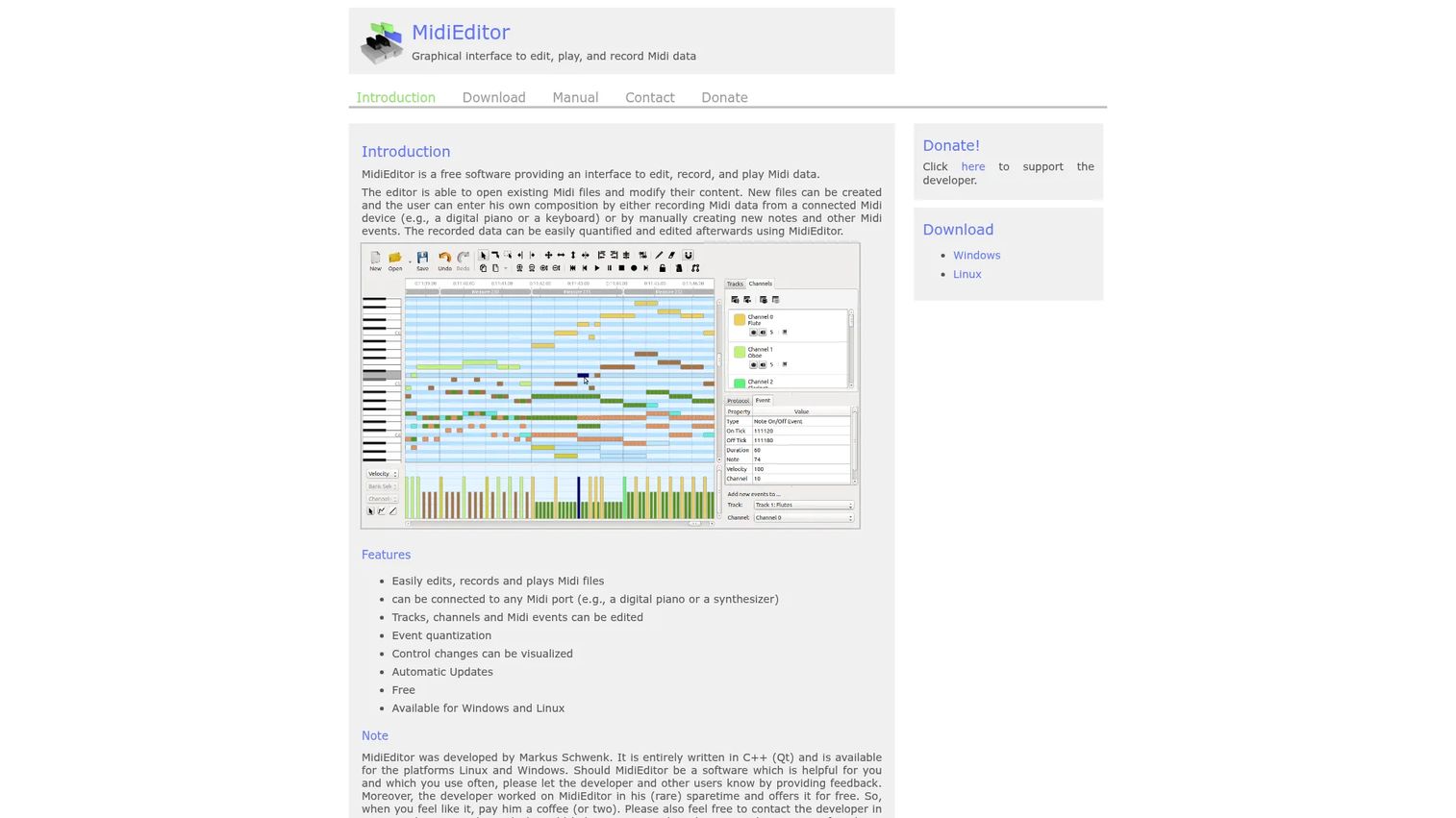
MidiEditor is a free desktop tool for editing, recording, and playing MIDI files. You can open an existing file and modify it, or start a new composition from scratch. It runs on Windows and Linux, and it stays focused on MIDI file workflows rather than piling on production features you don't need.
Best for: Musicians who want a free desktop MIDI editor on Windows or Linux for straightforward note and event work.
Key features
- Edit, record, and play MIDI files
- Open and modify existing MIDI files
- Create new compositions from scratch
- Available for Windows and Linux
- Note and event level editing
Why choose MidiEditor: If your job is fixing or building MIDI files without the weight of a full DAW, this is the leanest fit. It trades production depth for speed and a short learning curve.
MidiEditor pricing: MidiEditor is free to download and use, with donations requested to support development. There's no paid tier, so the full editor is available at no cost.
MidiEditor does not have a verified G2 rating at the time of writing, so weigh it on its feature fit rather than a review score.
2. signal - Online MIDI Editor
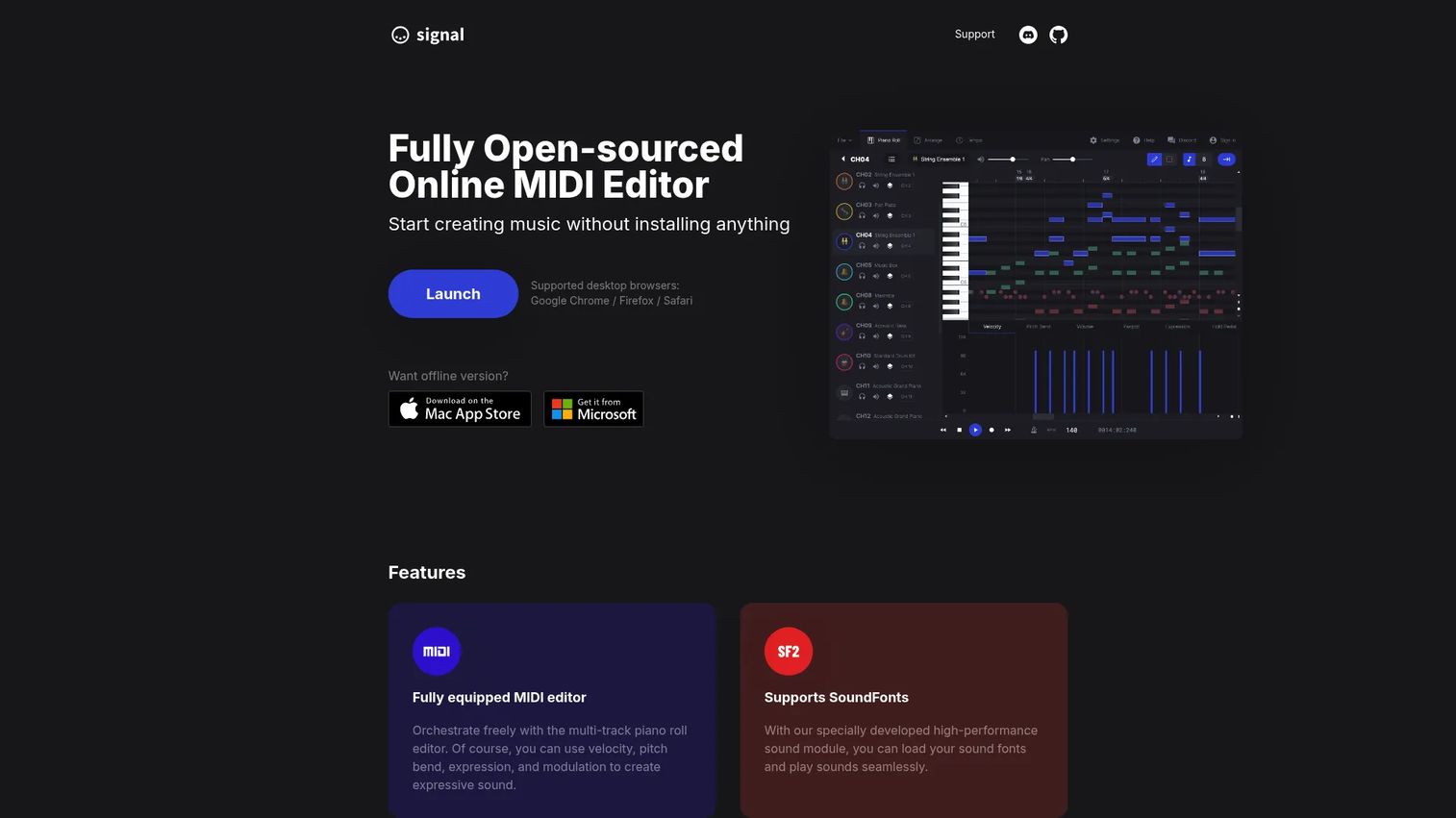
signal is a fully open-sourced online MIDI editor that runs in your browser. There's nothing to install: You open a tab and start editing in a multi-track piano roll. It supports SoundFonts for playback, WAV audio export for handing tracks to a DAW, and the Web MIDI API so hardware controllers work directly in the browser.
Best for: Musicians and hobbyists who want a lightweight MIDI editor online with no install and quick WAV export.
Key features
- Multi-track piano roll editing
- SoundFont support for playback
- WAV audio export
- MIDI I/O via Web MIDI API
- PWA and offline-style app support
Why choose signal: When you want an online MIDI player and editor that works on any machine without setup, this is the pick. It's ideal if you bounce between devices or don't want another desktop install.
signal pricing: signal is free and open source, so the full editor costs nothing. The homepage invites users to become a sponsor to support the project rather than charging for access.
signal does not have a verified G2 rating at the time of writing, so judge it on its browser workflow and export features rather than a score.
3. MixPad MIDI Editor - NCH Software
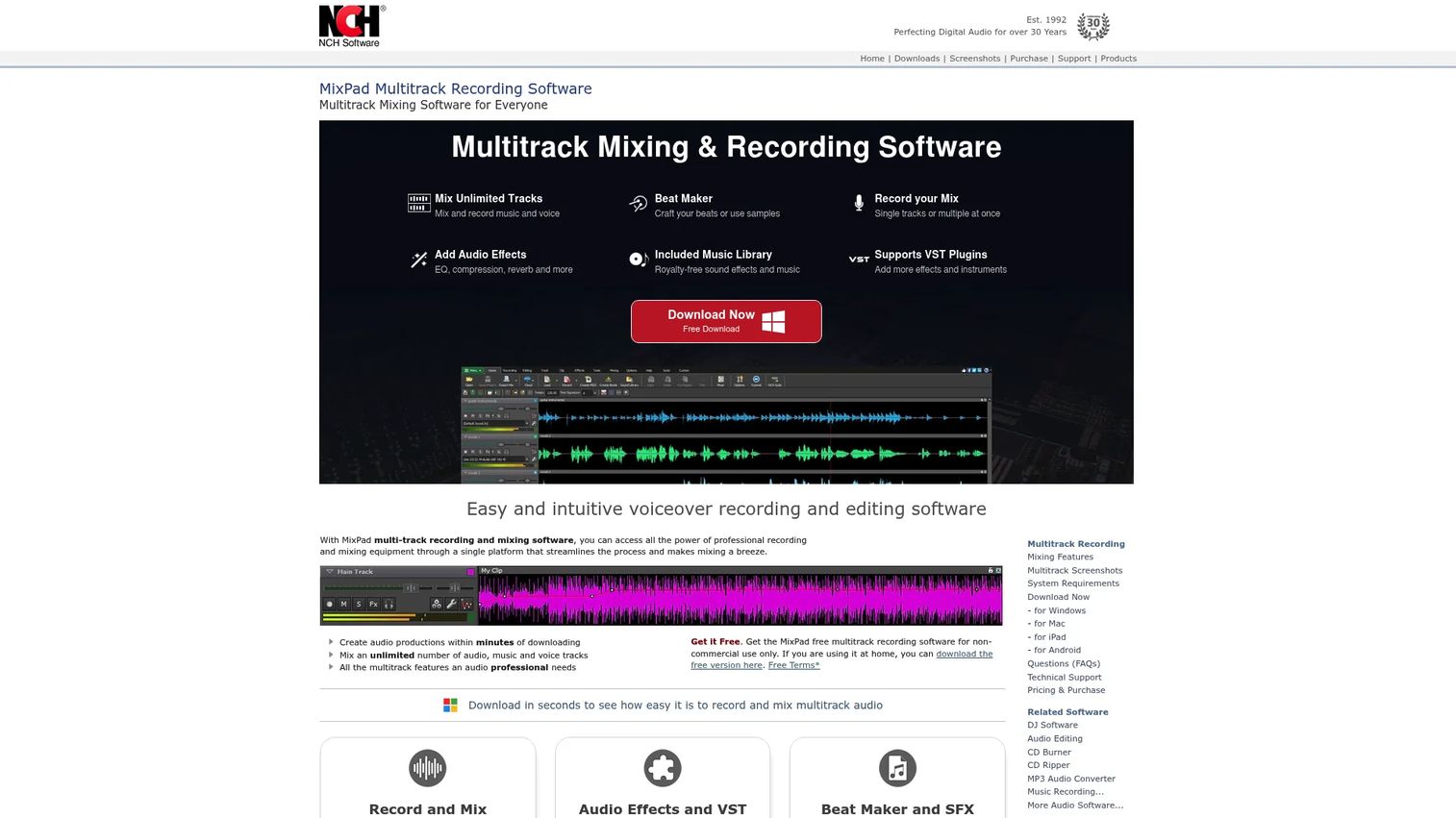
MixPad MIDI Editor from NCH Software is multitrack recording and mixing software with MIDI editing built in. You get unlimited audio, music, and voice tracks alongside a MIDI editor that handles note editing, quantize, and humanize. VST and VSTi plugin support means you can bring in third-party instruments and effects, which is where this tool pulls ahead of the pure editors.
Best for: Producers who need an easy multitrack recorder and mixer with MIDI editing in one desktop or mobile app.
Key features
- Unlimited audio, music, and voice tracks
- MIDI editor with quantize and humanize
- VST and VSTi plugin support
- Multitrack recording and mixing
- Desktop and mobile availability
Why choose MixPad: Pick this when MIDI editing is only part of the job and you need audio mixing plus plugins in the same window. It's the strongest all-in-one production option on this list.
MixPad pricing: A free version is available for non-commercial use. The Home Edition is $59.95+VAT one-time, the Master's Edition is $99.00+VAT one-time, and a Master's Edition Quarterly Plan runs $23.16 per quarter.
On G2, MixPad (listed as MixPad Professional Audio Mixer) holds a 5.0 out of 5 rating from one review, so treat that score as early signal rather than a broad consensus.
4. Anvil Studio
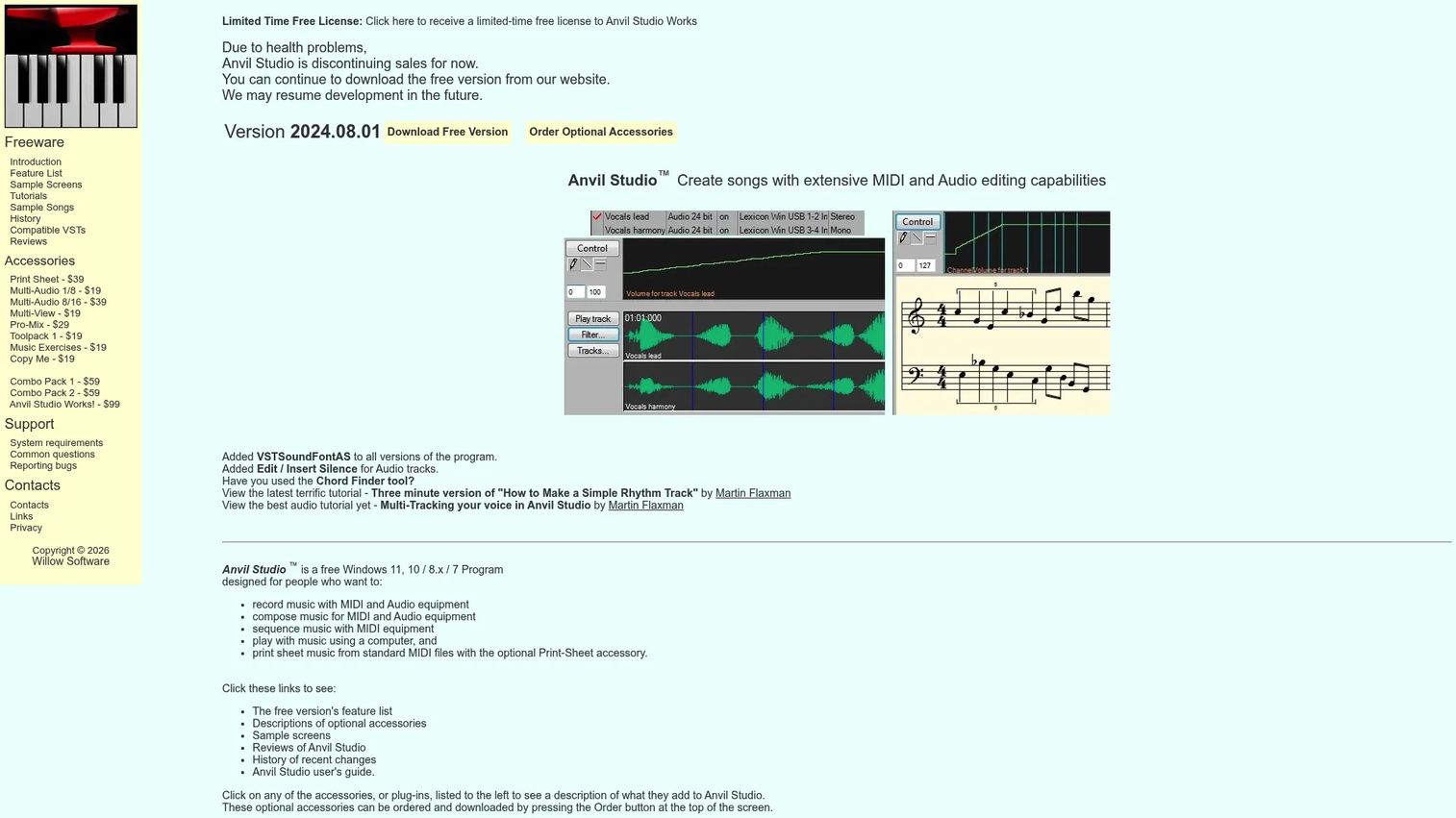
Anvil Studio is free Windows software for music composition, notation, MIDI, and audio editing. The base download handles MIDI composition and sequencing at no cost, with unlimited MIDI tracks. Optional paid accessories add capabilities like sheet music printing and expanded audio, so you extend the tool only when a project demands it.
Best for: Windows users who want a free MIDI and audio composition tool with optional paid add-ons for notation and mixing.
Key features
- MIDI composition and sequencing
- Unlimited MIDI tracks
- Audio recording and editing
- Sheet music and notation tools
- Optional paid accessories
Why choose Anvil Studio: Choose this if you're on Windows, want a free MIDI download to start, and prefer paying only for the extras you actually use. The modular add-on model keeps the base tool lean.
Anvil Studio pricing: The core software is free to download. Optional accessories are sold individually, starting at $19, with the Print Sheet add-on at $39 and the Anvil Studio Works! bundle at $99. The site notes accessory sales are currently paused, while the free download stays available.
Anvil Studio does not have a verified G2 rating at the time of writing, so evaluate it on its freeware base and Windows fit rather than a review score.
Considerations
Before you commit, run each tool against the checks that actually decide fit.
Platform support
Confirm the tool runs where you work. MidiEditor covers Windows and Linux, Anvil Studio is Windows-only, MixPad spans desktop and mobile, and signal runs anywhere with a browser. If your team mixes operating systems, a browser-based editor removes the platform question entirely.
File formats and export
Every tool imports and exports MIDI, but audio export varies. If you need WAV to hand tracks to a mix, verify it directly. signal and MixPad both handle WAV export; a pure MIDI editor may stop at the MIDI file itself.
Controller compatibility
If you play a keyboard or synth, check MIDI I/O support and how reliably the tool detects your hardware. signal uses the Web MIDI API for browser input, while desktop tools rely on your system's MIDI drivers. Test with your actual device before committing.
Note editing depth
Simple editors let you move and correct notes; production tools add quantize, humanize, and event-level control. Match the depth to the work. Fixing a file needs less than composing an arrangement from scratch.
Free tier or upgrade path
Three of these tools start free, and freeware MIDI covers most hobbyist needs. If you expect to grow into multitrack production, check what the paid tiers add and whether the upgrade is a one-time cost or a subscription before you build a workflow on the free version.
Conclusion
The right MIDI software comes down to where the work lives. For quick desktop edits on Windows or Linux, MidiEditor keeps it simple and free. For browser-based editing with no install and fast WAV export, signal is the online MIDI editor to open. When one MIDI track turns into a full arrangement, MixPad brings multitrack recording, mixing, and VST plugins into one app. And for free Windows composition with a pay-as-you-grow add-on path, Anvil Studio is the freeware pick.
Match the tool to your workflow maturity. If you're editing files or learning, start with a free MIDI download like MidiEditor or Anvil Studio. If you move between machines, signal's browser access wins. Once you need audio and MIDI together with mixing, step up to MixPad. Test the free tiers first, since three of these cost nothing to try, then commit only once a tool proves it fits how you actually make music.
FAQs
It depends on your platform and workflow. MidiEditor is a strong free desktop editor for Windows and Linux, Anvil Studio offers free Windows composition with unlimited MIDI tracks, and signal is a free open-source online MIDI editor. All three cover core editing at no cost.
Yes. signal is a browser-based MIDI editor online that needs no install. You open a tab, edit in a multi-track piano roll, play back through SoundFonts, and export WAV audio. It supports the Web MIDI API, so hardware controllers work directly in the browser.
A MIDI editor focuses on note and event editing within MIDI files. A DAW adds multitrack audio recording, mixing, and plugin hosting on top of MIDI. Tools like MixPad blur the line by combining MIDI editing with full multitrack production, while MidiEditor stays focused on the MIDI layer alone.
Yes, if it supports MIDI input. MidiEditor records MIDI, MixPad captures both MIDI and audio, and signal accepts hardware input through the Web MIDI API. Check for MIDI I/O support and confirm the tool detects your specific controller before relying on it.
The core format is the standard MIDI file, which stores note and timing data rather than audio. Many tools also export WAV audio so you can hand rendered tracks to a mix. Production tools like MixPad add support for audio formats alongside MIDI.
Only if you want third-party instruments and effects. MixPad supports VST and VSTi plugins, which matters for production work where you're layering sounds and processing audio. Pure MIDI editors like MidiEditor skip VST plugins because they focus on editing note data, not rendering complex audio.
Some tools can. signal offers fast WAV export straight from the browser, and MixPad renders full mixes to audio. A basic MIDI editor may only export the MIDI file itself, so verify WAV export directly if you need audio for a DAW handoff.
For MIDI software for Windows, MidiEditor covers free desktop editing, Anvil Studio handles free composition with unlimited tracks and optional add-ons, and MixPad delivers multitrack production with mixing and plugins. Match the pick to whether you're editing files or building full arrangements.










