A ticket printer jams during a Friday rush. The grill cook misses a modifier because the paper smudged. An online order and a dine-in order hit the line at the same moment, and nobody knows which fires first. Every one of those small failures costs you a comped plate, a slower table turn, or a one-star review that mentions the wrong burger.
Paper tickets were built for a kitchen that no longer exists. Most restaurants now juggle dine-in, pickup, delivery apps, and QR-code ordering at once, and paper cannot route or track any of it. A kitchen display system replaces those tickets with screens that show orders in real time, route items to the right station, and time every ticket from fire to expo.
The category is growing fast because operators feel this pain daily. The global kitchen display system market is projected to grow from roughly $450 to $520 million in 2023 and 2024 to between $725 and $858 million by the early 2030s, at a compound annual growth rate near 6.6 to 7.2 percent, according to GlobeNewswire and Astute Analytica. Cloud-connected and API-integrated KDS deployments are expected to climb from about 25 to 30 percent of new installs in 2022 to 55 to 65 percent by 2028, per IndexBox, driven by delivery integration and real-time updates.
This guide compares nine options on the things that actually decide a purchase: order routing, pricing, hardware fit, durability, and setup. No hype, no vendor spin, just what each system does well and who it suits.
What's inside
This is a buyer's guide for restaurant operators comparing a kitchen display system for restaurants, not a vendor landing page. We selected nine systems that cover the realistic range of kitchens, from a single counter-service spot to a multi-location group running an enterprise stack.
We evaluated each option on five criteria that map to real buying decisions:
- Order routing and synchronization: how well it splits tickets across stations and keeps online and in-house orders in sync
- Pricing transparency: whether you can see a price before a sales call
- Hardware fit: Android, iPad, or dedicated industrial screens
- Durability: how the hardware holds up in heat, grease, and steam
- Setup and workflow: how much friction it takes to get a station live
You get pricing context, a best-fit scenario for each, and a comparison table to shortlist fast.
TL;DR
For skimmers, here is the short version before the deep dives.
- Best starting point if you already run Square POS: Square KDS is free to add and runs on Android tablets you may already own.
- Best for an integrated restaurant stack: Toast pairs a purpose-built KDS with POS, online ordering, and payments in one system.
- Best for multi-location consistency: Lightspeed and Oracle Micros both standardize kitchen workflows across many sites.
- Best for hardware durability: PAR Technology builds industrial-grade screens and bump bars for high-volume back-of-house use.
- Best budget-conscious pick: SpotOn and Toast both offer $0 starting tiers that let you test the workflow before committing hardware spend.
- Best browser-based deployment: Epson TrueOrder KDS runs on a local network without heavy cloud dependency.
What is a kitchen display system?
A kitchen display system (KDS) is a digital screen setup that replaces paper tickets by showing incoming orders to kitchen staff and routing each item to the correct prep station in real time.
Instead of a printer spitting out slips, a KDS receives orders from your point-of-sale system, online ordering channels, and delivery platforms, then displays them on screens mounted at the grill, fryer, salad, bar, or expo station. Cooks bump each ticket when the item is ready, and the system tracks timing so nothing sits or gets forgotten.
The core of a modern kitchen display comes down to a handful of features that matter across every kitchen:
- Real-time order synchronization: orders appear the instant they are placed, with edits and voids updating live
- Station routing: each item shows only on the station that prepares it, so the grill sees grill items and the bar sees drinks
- Ticket timers and color coding: on-screen clocks flag tickets that are running long before they become complaints
- Expeditor mode: a consolidated expo view shows every ticket in progress so one person can coordinate the pass
- Multi-source order intake: dine-in, online, pickup, and delivery orders flow into one queue
- Order status and bump tracking: staff mark items complete, and completed tickets clear or archive automatically
A kds system connects the front of house to the back of house so that a server's order, a customer's app order, and a delivery ticket all land in the same coordinated flow. That is the shift: from a stack of paper nobody can search to a live board everyone can read.
When to use a kitchen display system
Not every kitchen needs to rip out paper on day one. Here is where a KDS pays off most clearly.
Reduce paper tickets and order errors
The clearest payoff shows up in high-volume service with modifier-heavy menus. When a single burger can have eight modifiers and a rush pushes 200 covers, paper tickets create errors that a screen prevents. A kitchen display shows every modification in a consistent format, flags allergen notes, and never smudges or jams. Restaurants running heavy pickup and delivery volume gain the most, because those orders bypass the server entirely and land straight on the screen with full detail intact.
Coordinate multiple prep stations
Once a kitchen has more than one station firing at once, routing and status visibility become the difference between a smooth pass and a backed-up line. A kds screen at each station shows only the items that station handles, while an expeditor mode view gives one person oversight of every ticket in progress. That expo view is where timing gets coordinated: the grill, fryer, and salad stations all finish in sync so plates leave together and hot food stays hot.
Standardize kitchen operations across locations
Multi-unit operators care about consistency more than any single feature. A cloud-connected kitchen screen system lets a regional manager see the same layout, the same timing standards, and the same routing rules at every location. Setup becomes repeatable, new locations come online faster, and back-of-house reporting rolls up across the group. For operators trying to build a repeatable operation that does not depend on one heroic kitchen manager, standardized KDS deployment is a core piece of the puzzle.
Comparison table
Read this table top to bottom to shortlist two or three systems, then drop into the detailed sections below. Intent shows who each option fits best, pricing reflects publicly listed starting prices where available, and ratings come from G2 where a verified score exists.
| # | Product | Intent | Key use case | Pricing | G2 rating |
|---|---|---|---|---|---|
| 1 | Square | Existing Square POS users | Free KDS add-on on Android tablets | $0/mo (Free plan) | 4.6/5 |
| 2 | Clover | Small businesses in Clover's ecosystem | POS-native KDS with bump bar support | Contact sales | Not listed |
| 3 | SpotOn | Restaurants wanting an integrated stack | KDS with online-order routing | $0/station per month | Not listed |
| 4 | Toast | Restaurant-first operators | Durable KDS for high-volume kitchens | $0/mo (Starter Kit) | 4.2/5 |
| 5 | Lightspeed | Multi-location restaurant groups | Configurable KDS 2.0 workflows | $69/mo (Starter) | 4.4/5 |
| 6 | TouchBistro | iPad-based restaurant POS users | Fresh-powered instant tickets | $69/month | 4.1/5 |
| 7 | PAR Technology | Enterprise, high-durability kitchens | Industrial hardware and bump bars | Custom quote | 3.4/5 |
| 8 | Epson | Small to mid-sized kitchens | Browser-based, local-network KDS | Hardware purchase | Not listed |
| 9 | Oracle Micros | Enterprise hospitality operators | Metered cloud KDS in Simphony | From ~$13.11/revenue center | 3.5/5 |
1. Square
Square is a commerce platform covering payments, POS, online selling, and business operations, and its KDS is one of the most common entry points for operators new to digital tickets. The square kitchen display system runs on Android tablets, turns incoming orders into digital tickets, and includes an Expeditor Mode for coordinating the pass. If you already run Square POS, adding the display is straightforward and it syncs with your existing menu and order flow.
Best for: Small and independent restaurants already on Square POS who want a low-friction way to drop paper.
Key strengths
- Android-based hardware: runs square kds hardware on standard Android tablets, so you can repurpose devices you may already own
- Digital tickets with Expeditor Mode: consolidates orders on a single expo screen for coordinated firing
- Native POS sync: orders from Square POS and online ordering land directly on the screen with no middleware
Why choose Square: The appeal is simplicity and cost. Square KDS is included at no extra software charge on the Free plan, which removes the biggest barrier for operators testing whether a digital kitchen display fits their workflow. For a single-location counter-service spot, it is often the fastest path from paper to screen without a new vendor relationship.
Square pricing: Square lists three plans: Free at $0 per month, Plus at $49 per month per location, and Premium at $149 per month per location, all billed monthly. The KDS itself is available to add without a separate software fee, so your main cost is the Android tablet hardware. Payment processing fees apply per transaction. Square Point of Sale holds a 4.6 out of 5 rating on G2.
2. Clover
Clover is a cloud-based POS and payments platform for small businesses, with a KDS that plugs directly into its device ecosystem. Clover offers dedicated kitchen display hardware with bump bar support, order routing across stations, and tiered plans built around business type. For merchants already running Clover terminals, the KDS extends the same system into the back of house without a separate integration project.
Best for: Small businesses already invested in Clover hardware who want their kitchen display to match the rest of the stack.
Key strengths
- Bump bar support: physical bump bars let cooks clear tickets without touching a greasy screen
- Station routing: sends items to the correct prep station based on menu configuration
- Ecosystem fit: works natively with Clover POS, payments, and inventory in one account
Why choose Clover: If your front of house already runs on Clover, the KDS keeps everything under one login and one support contact. That single-vendor simplicity matters for smaller operators who do not have an IT person to manage integrations between separate systems.
Clover pricing: Clover does not publish numeric subscription pricing on its main plan pages, noting that monthly software fees vary by business type and are quoted directly. Its plan tiers include Starter, Essentials, and Services Growth, all listed as contact-sales. Because pricing is quote-based, request a figure tied to your specific hardware and location count before committing.
3. SpotOn
SpotOn is a restaurant technology and payments platform covering POS, online ordering, reservations, and labor management, with a KDS that ties directly into its ordering channels. Real-time kitchen visibility, order routing from online ordering, and offline resilience are the practical strengths here. Because SpotOn is built restaurant-first, its kitchen display treats delivery and online orders as first-class citizens rather than bolt-ons.
Best for: Restaurants that want an integrated POS, online ordering, and KDS stack from a single restaurant-focused vendor.
Key strengths
- Online-order routing: pulls orders from SpotOn's online ordering straight to the relevant station screen
- Real-time visibility: tickets and status update live across every connected screen
- Restaurant-native operations: pairs with reservations, labor management, and AI-powered P&L analysis in one platform
Why choose SpotOn: SpotOn suits operators who want more than a payment terminal with a kitchen add-on. The platform is designed around restaurant workflows, so the KDS behaves the way a busy kitchen expects. The $0 starting tier also lets you validate the workflow before scaling hardware across stations.
SpotOn pricing: SpotOn's restaurant pricing page lists an All-In Plan starting at $0 per station per month, POS Essentials at $55 per station per month, and a Core Bundle at $50 per month plus 20 basis points of gross processing volume capped at $200. Build Your Own is quote-based. Hardware and processing details factor into the total, so confirm the full cost with a rep for your station count.
4. Toast
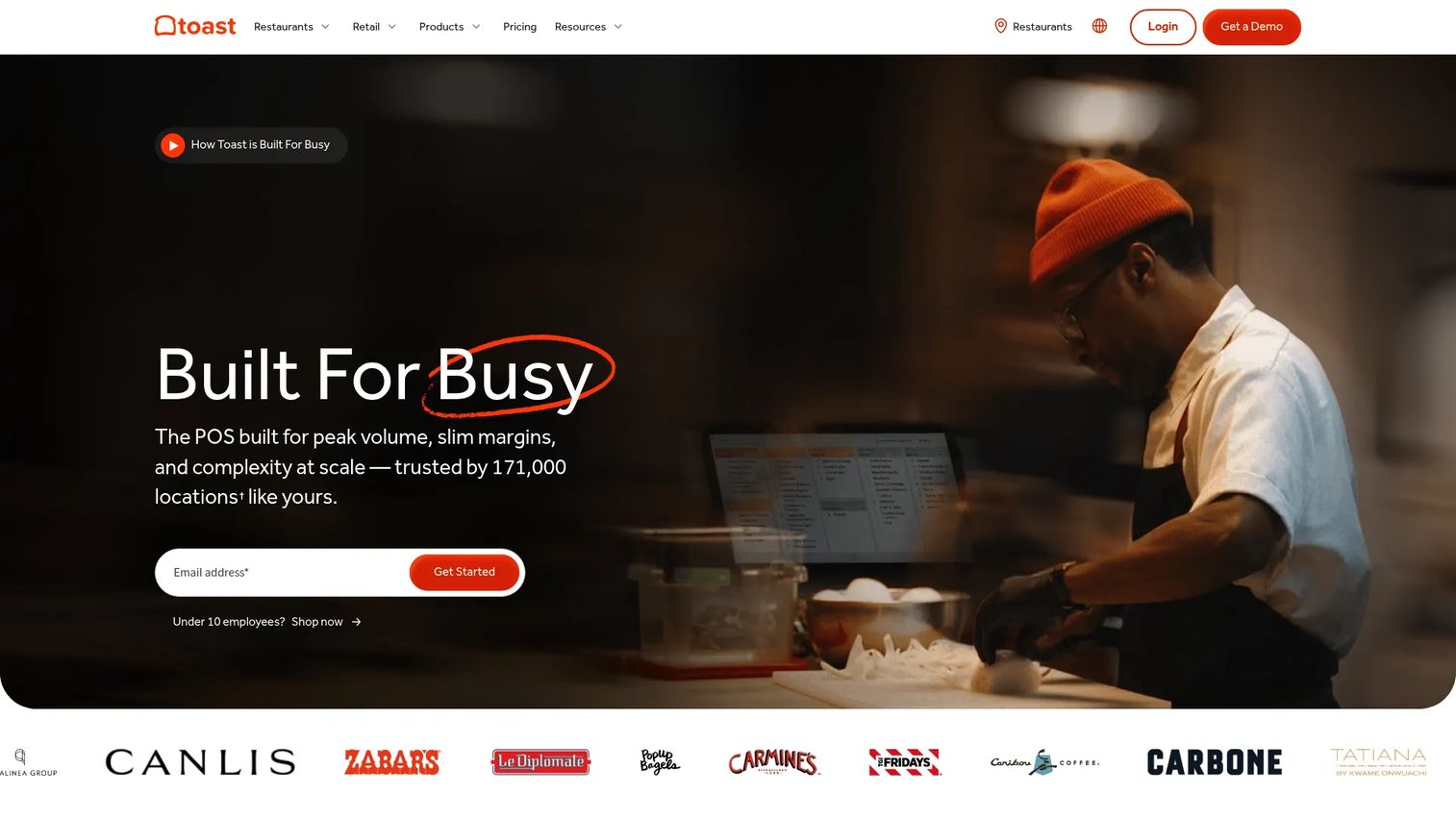
Toast is a restaurant and retail POS platform with integrated payments, operations, and guest tools, and its KDS is purpose-built for demanding kitchens. Durability, real-time syncing, and flexible screen layouts make it a strong fit for high-volume service. Toast hardware is spill-resistant and built for the heat and grease of a working line, and the KDS ties into online ordering, POS, and payments in one system.
Best for: Restaurant-first operators who want an all-in-one stack where the kitchen display is a core part of the platform, not an afterthought.
Key strengths
- Durable, restaurant-grade hardware: screens built to withstand heat, steam, and spills on the line
- Flexible layouts: configure the display by station, order type, or prep sequence
- Deep platform integration: syncs with Toast POS, online ordering, inventory, and payroll
Why choose Toast: For operators who want their kitchen display, POS, and online ordering to speak the same language natively, Toast reduces the integration headaches that come from stitching separate vendors together. It is a heavier commitment than a simple add-on, but the payoff is a coordinated system built specifically for restaurants.
Toast pricing: Toast's pricing page lists three options: a Starter Kit at $0 per month, Point of Sale at $69 per month, and a Custom quote tier, with pricing applying to new single-location customers. Payment processing is priced separately. Toast holds a 4.2 out of 5 rating on G2.
5. Lightspeed
Lightspeed is a cloud commerce and POS platform for retail, restaurant, and golf businesses, and its restaurant KDS is a configurable add-on to Lightspeed Restaurant. KDS 2.0 offers configurable workflows, station routing, and setup support through Lightspeed's team. It fits operators who already run Lightspeed Restaurant and want their kitchen display managed within the same cloud platform.
Best for: Existing Lightspeed Restaurant customers and multi-location groups that want configurable, centrally managed kitchen workflows.
Key strengths
- Configurable KDS 2.0 workflows: adapt routing and layout rules to how your kitchen actually runs
- Multi-location management: standardize timing and routing across every site from one platform
- Guided setup: Lightspeed support helps configure the display during onboarding
Why choose Lightspeed: Lightspeed is a natural extension for operators already on its restaurant POS, especially those running several locations. The configurable workflows and centralized reporting help a growing group keep kitchen operations consistent as it scales, which matters more with every new site.
Lightspeed pricing: Lightspeed's restaurant pricing page lists Starter at $69 per month, Essential at $189 per month, Premium at $399 per month, all billed monthly, plus an Enterprise quote tier. The KDS is a paid add-on to these restaurant plans, so factor it in on top of the base subscription. Lightspeed holds a 4.4 out of 5 rating on G2.
6. TouchBistro
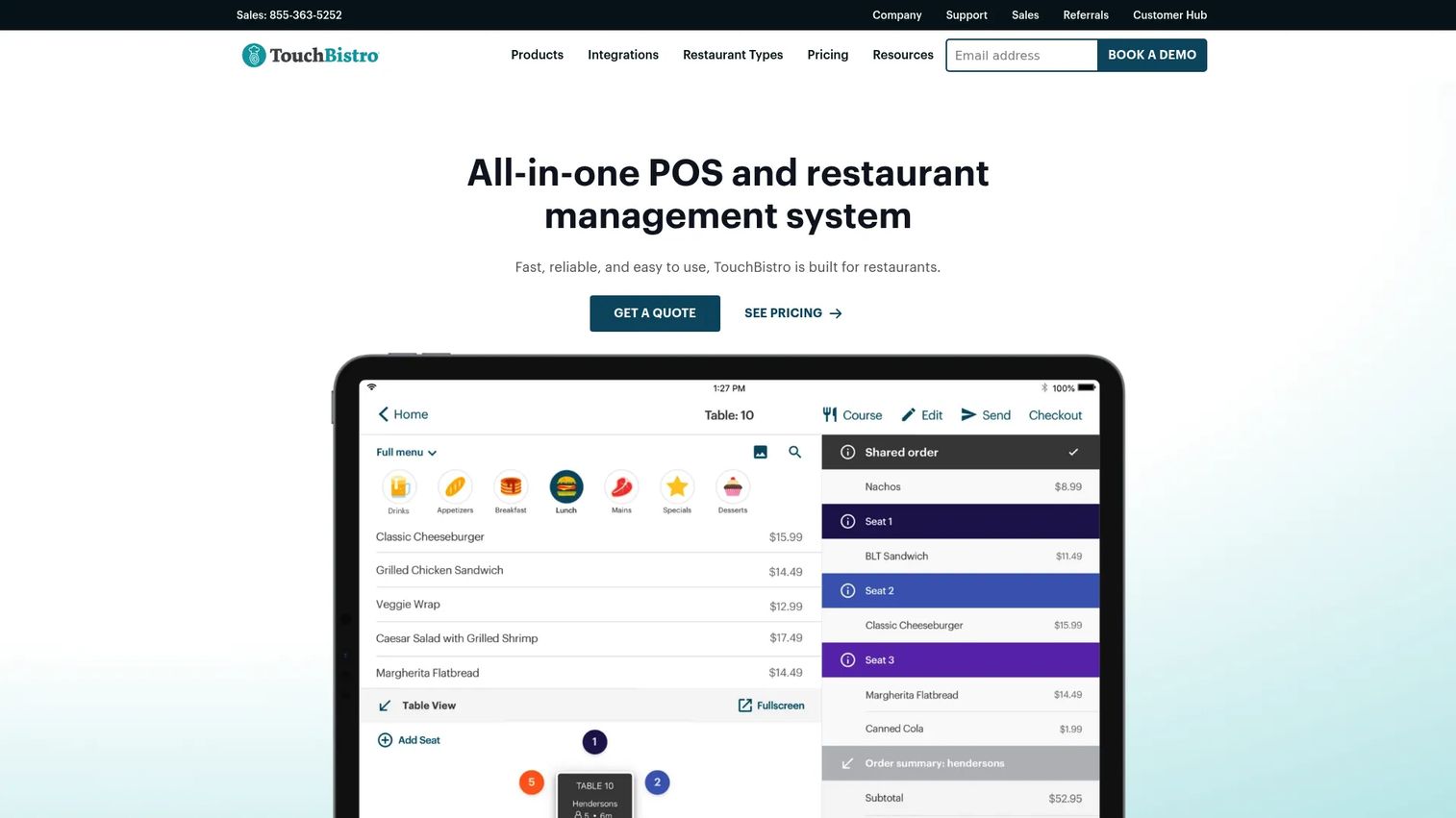
TouchBistro is a restaurant-focused POS and management system best known for its iPad-based front of house, with a Fresh-powered KDS that pushes orders to the kitchen instantly. Instant tickets, multi-channel order display, and floor-plan-aware routing make it a fit for restaurants that want a broader POS plus KDS relationship. Because TouchBistro is built specifically for restaurants, the kitchen display integrates tightly with tableside ordering and menu management.
Best for: Restaurants running an iPad-based POS that want a kitchen display tied into tableside ordering and table management.
Key strengths
- Fresh-powered instant tickets: orders reach the kitchen the moment a server sends them
- Multi-channel display: shows dine-in, online, and takeout orders in one view
- Tight POS integration: connects with TouchBistro's floor plans, menu management, and tableside ordering
Why choose TouchBistro: TouchBistro suits operators who want a restaurant-specific system rather than a general commerce platform adapted for food service. The iPad-first design and tableside integration make it comfortable for front-of-house staff, while the KDS keeps the kitchen in sync.
TouchBistro pricing: TouchBistro's pricing page lists Point of Sale starting at $69 per month, an Essentials Bundle at $119 per month, and a Custom quote tier, all billed monthly. There is no free tier. Confirm which bundle includes the KDS configuration you need before signing. TouchBistro holds a 4.1 out of 5 rating on G2.
7. PAR Technology
PAR Technology is a foodservice technology provider offering a unified platform for POS, loyalty, payments, ordering, hardware, and back-office operations. Its KDS strength is durable, industrial-grade hardware built for the toughest back-of-house conditions, with bump bar support and multi-location ecosystem fit. PAR has a long history supplying enterprise and quick-service chains, so its equipment is engineered for reliability under constant heavy use.
Best for: Multi-location and enterprise restaurant operators who prioritize kitchen hardware durability and operational control.
Key strengths
- Industrial-grade hardware: screens and bump bars engineered for heat, grease, and constant use
- Multi-location ecosystem: integrates with PAR's POS, payments, loyalty, and back-office tools
- Operational control: built for high-throughput kitchens that cannot afford downtime
Why choose PAR Technology: PAR is the pick when kitchen reliability is non-negotiable and you are running at enterprise scale. The hardware is built to outlast consumer tablets in a hot, wet environment, and the unified platform gives multi-unit operators central control over back-of-house operations.
PAR Technology pricing: PAR does not publish public pricing; its pages route to a demo or contact flow for a custom quote. That is typical for enterprise-focused foodservice platforms where pricing depends on location count, hardware, and modules. Request a quote scoped to your specific deployment. PAR holds a 3.4 out of 5 rating on G2.
8. Epson
Epson is a global imaging and technology company best known for printers, projectors, and scanners, and its TrueOrder KDS brings that hardware pedigree to the kitchen. TrueOrder runs through a browser-based setup, operates over a local network without heavy cloud dependency, and supports multiple stations. That local-network design appeals to operators who want a kitchen display that keeps running even when internet connectivity is spotty.
Best for: Small to mid-sized kitchens that want a practical, browser-based KDS that runs reliably on a local network.
Key strengths
- Browser-based setup: configure and run the display through a browser without specialized software
- Local-network operation: keeps working during internet outages by running on-premises
- Multi-station support: routes orders across several kitchen screens
Why choose Epson: Epson is a fit for operators who value hardware reliability and want a KDS that does not depend on a constant cloud connection. For a smaller kitchen that has been burned by internet outages taking down cloud-only systems, the local-network approach is reassuring. Epson also brings decades of durable commercial hardware experience.
Epson pricing: Epson's KDS pricing depends on the hardware and configuration rather than a published subscription plan, so pricing for TrueOrder is best confirmed through an Epson reseller or partner. Epson's broader subscription offerings, such as its ReadyPrint printing plans, are separate consumer and office products and do not reflect KDS costs. Scope your quote around station count and screen hardware.
9. Oracle Micros
Oracle Micros is Oracle's food-and-beverage POS and operations platform for restaurants, hotels, bars, and other hospitality venues, with a KDS built into its Simphony cloud service. Technical compatibility, supported ports, an embedded OS, and deep restaurant system integrations make it an enterprise-grade choice for technical buyers. Oracle Micros has a long enterprise hospitality track record, and its KDS is part of a broader cloud POS, reporting, and payments platform.
Best for: Enterprise hospitality operators and technical buyers who need a KDS inside a full Oracle-backed POS and operations platform.
Key strengths
- Enterprise integration depth: connects KDS to Simphony POS, reporting, analytics, and payments
- Technical compatibility: supports specific ports and an embedded OS for controlled deployments
- Hospitality-grade scale: built for large operators running many revenue centers
Why choose Oracle Micros: Oracle Micros is the pick for large hospitality groups that already run, or want to run, an Oracle-backed platform. The KDS is one component of a system designed for scale, central reporting, and technical control across many locations and revenue centers.
Oracle Micros pricing: Oracle uses metered, edition-based pricing on its published price list. Simphony Cloud Service Essentials Edition lists a revenue center fee around $13.11 per revenue center and a per-transaction fee around $0.10 for volumes above 200 transactions per month, with Plus and Single-Tenant editions available. Because pricing is metered and edition-based, model your expected transaction volume before comparing. Oracle Micros holds a 3.5 out of 5 rating on G2.
Considerations before you buy
Before you commit, run each shortlisted system through a short checklist tied to how your kitchen actually operates.
POS and stack compatibility
The single biggest factor is whether the KDS integrates natively with your existing point-of-sale. A kitchen display bolted onto a mismatched POS creates sync gaps and support headaches. If you already run a platform like Square, Toast, or Lightspeed, its native KDS is almost always the cleaner choice than a third-party screen.
Hardware durability
Kitchens are hot, wet, and greasy. Consumer tablets can fail fast in that environment, while industrial screens from vendors like PAR Technology or purpose-built restaurant hardware from Toast are engineered to survive. Match the hardware grade to your service volume and how close the screen sits to heat.
Order routing and station setup
Confirm the system can route items to the specific stations you run and support an expeditor mode for the pass. A multi-station kitchen needs granular routing rules; a single-line counter-service spot may not. Test the routing logic against your real menu before buying.
Online and delivery order handling
If pickup and delivery are a meaningful share of your volume, verify how the KDS pulls those orders in and whether they sync in real time. The best kitchen display systems treat online orders the same as dine-in tickets, with full modifier detail intact.
Pricing and total cost
Look past the headline kitchen display system price to the full picture: software subscription, per-station hardware, payment processing, and any add-on fees. A $0 software tier still carries hardware and processing costs, and quote-based enterprise systems require modeling your transaction volume.
Conclusion
The best kitchen display system is not the one with the longest feature list. It is the one that fits your POS stack, your kitchen's complexity, and your hardware preference.
If you already run Square POS, Square KDS is the fastest, lowest-cost way to drop paper. Operators who want a tightly integrated restaurant platform should look hard at Toast or SpotOn, both of which offer $0 starting tiers to test the workflow. Multi-location groups chasing consistency will get the most from Lightspeed or Oracle Micros, while kitchens that punish hardware should weigh PAR Technology's industrial build. Epson suits smaller kitchens that want local-network reliability, and TouchBistro fits iPad-based restaurants that want tableside integration.
The practical next step: shortlist two or three systems from the table above, verify current pricing directly with each vendor for your station count, and compare hardware fit against your actual kitchen conditions. A short demo of the routing logic against your real menu will tell you more than any spec sheet.
FAQs
A kitchen display system is a set of digital screens that replaces paper tickets in the kitchen. It receives orders from your POS, online ordering, and delivery channels, then displays each order and routes items to the right prep station in real time. Cooks bump tickets as items are ready, and built-in timers track how long each order has been open so nothing gets lost or runs late.
Pricing varies widely. Some systems like Square and Toast include the KDS software on a $0 starting tier, so your main cost is the tablet or screen hardware plus payment processing. Others, like Lightspeed, price the KDS as a paid add-on to a monthly restaurant plan, and enterprise platforms like Oracle Micros and PAR Technology use metered or quote-based pricing. Budget for software, per-station hardware, and processing fees together, not just the headline price.
Paper tickets are static, cannot be routed automatically, and are prone to jams, smudges, and getting lost during a rush. A kds system shows orders digitally, routes each item to the correct station, tracks timing, and updates instantly when an order is edited or voided. It also consolidates dine-in, online, and delivery orders into one coordinated queue, which paper cannot do.
Yes. A core strength of a modern kitchen display is pulling orders from every channel into one queue. Dine-in orders from the server, online orders from your website, and delivery orders from third-party apps all appear on the same screen with full modifier detail. Systems built restaurant-first, like SpotOn and Toast, treat online orders as first-class tickets rather than add-ons.
It depends on the vendor. Square KDS runs on Android tablets, TouchBistro is built around iPad hardware, and Epson TrueOrder runs through a browser on a local network. Enterprise systems like PAR Technology and Oracle Micros often use dedicated industrial screens engineered for kitchen conditions. Match the device type to your existing hardware and the durability your kitchen demands.
Start with POS compatibility, because a native integration avoids sync gaps. Then check hardware durability against your service volume, order routing flexibility for your stations, real-time handling of online and delivery orders, and the full cost including hardware and processing. Testing the routing logic against your actual menu before you buy tells you more than any feature list.
Often, yes. Even a single-location counter-service spot benefits when it handles pickup and delivery volume, because those orders bypass the server and need full detail on screen. Free software tiers from Square, Toast, and SpotOn let a small operator test the workflow with minimal upfront cost, so the main investment is a tablet or screen.
A kitchen display shows every modifier in a consistent, legible format that never smudges or jams, and it flags allergen and special-instruction notes clearly. Orders update live when a customer or server changes them, so the kitchen always sees the current version. Ticket timers and color coding surface orders that are running long before they turn into a wrong or late plate.