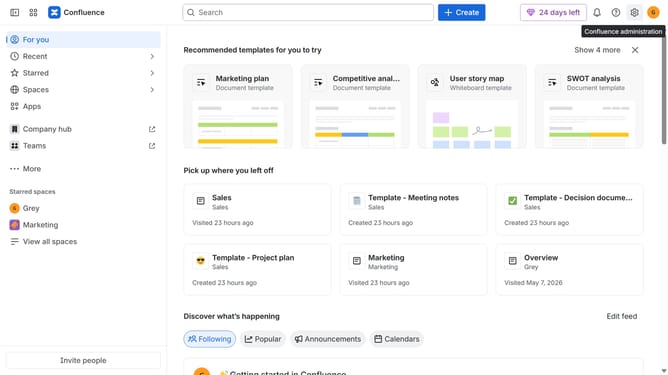
How to view your connected apps in Confluence
Here is how to view your connected apps in confluence
- First locate "Apps" in the navigation
- Next click on the three dots icon next to "Apps"
- Select "Manage apps" from the dropdown menu
- Then click on the "Take me there" button
Why should you view your connected apps in Confluence
Confluence is a collaborative workspace designed to help teams organize and share knowledge effectively.
Viewing your connected apps in Confluence enhances this collaboration by providing transparency and ease of access to integrated tools.
Knowing which apps are connected allows for seamless workflow integration, fostering productivity and efficiency.
This feature helps teams stay in sync, minimizing confusion and maximizing resource utilization in a unified platform.
Last update