How to configure the maximum size allowed for an attachment in Confluence
Here is how to configure the maximum size allowed for an attachment in confluence
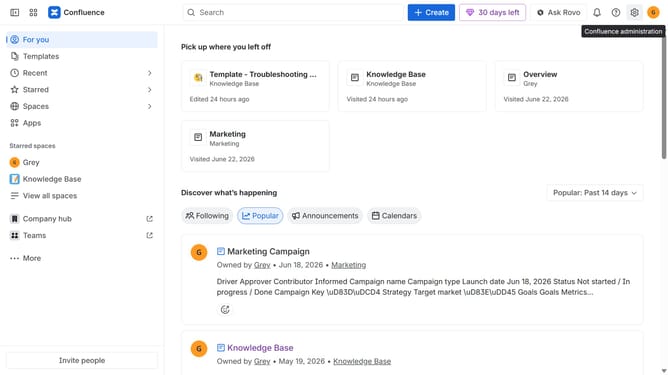
- First click on the gear icon in the top right header
- Find "Settings" in the Confluence administration menu
- Next click on "Configuration"
- After that, select "General configuration" in the submenu
- Scroll down to the “Attachment settings” section
- Next, locate the "Attachment maximum size" field
- Then, enter your preferred maximum attachment size in bytes
- Finally, click on the "Save configuration changes" button
Why should you configure the maximum size allowed for an attachment in Confluence
Confluence is a versatile platform designed for fostering collaboration and knowledge sharing within teams.
Configuring the maximum size allowed for an attachment in Confluence is a powerful feature that ensures efficient file management. By setting size limits, businesses can maintain optimal server performance, preventing unnecessary slowdowns.
Additionally, this feature helps streamline collaboration by encouraging more intentional use of storage resources while fostering an organized, clutter-free workspace. This approach ultimately enhances productivity, promoting a seamless workflow experience.
Last update