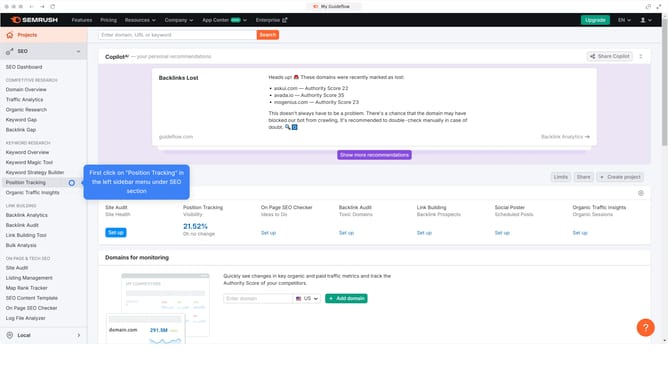
How to view engagement metrics in Semrush
Here is how to view engagement metrics in semrush
- First click on the "SEO" section in the main navigation menu
- Then click on "Domain Overview" option in the left sidebar menu
- Enter the domain you want to analyze in the search bar at the top.
- Click the "Search" button to generate results
- Here you'll view the engagement metrics
Why should you view engagement metrics in Semrush
Semrush is a dynamic tool designed for optimizing digital visibility and content performance.
Viewing engagement metrics in Semrush allows users to grasp how content resonates with audiences. These metrics provide insights into user interactions, pinpointing what's working and areas for improvement.
Access to such data empowers users to refine their strategies, enhancing overall engagement and ensuring content aligns with audience needs. Such actionable information is invaluable for staying competitive in the digital landscape.
Last update