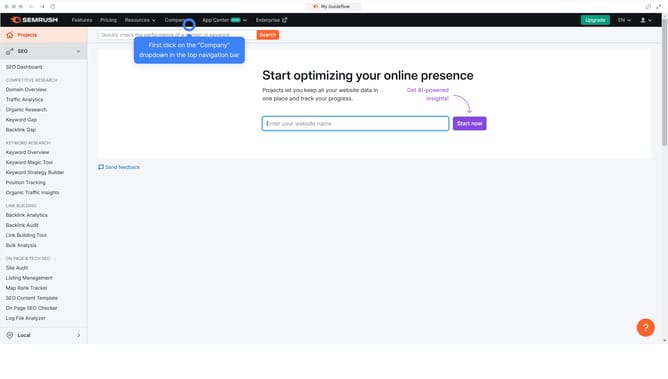
How to check navigational intent keywords in Semrush
Here is how to check navigational intent keywords in semrush
- First click on the "SEO" tab in the main navigation menu
- Then click on "Domain Overview" in the left sidebar menu
- Enter your domain in the domain input field
- Click the "Search" button to analyze the domain
- Scroll down to the "Keywords by Intent" section
- Click the percentage on the "Navigational" to filter keywords by navigational intent
Why should you check navigational intent keywords in Semrush
Semrush is a powerful tool designed to elevate your digital marketing strategy by providing in-depth analysis and insights.
Using Semrush, you can access navigational intent keywords that help you understand what users are directly searching for, often leading them to specific websites or pages. This feature is essential for tailoring your content strategy to attract precise traffic and optimize user pathways to your site.
Unlocking navigational intent keywords offers businesses the ability to enhance their visibility in search rankings. By leveraging these insights, you can refine your SEO efforts to better meet the direct needs of your audience, ultimately leading to improved engagement and conversion rates.
Last update