How to view all of the extensions in a base in Airtable
Here is how to view all of the extensions in a base in airtable
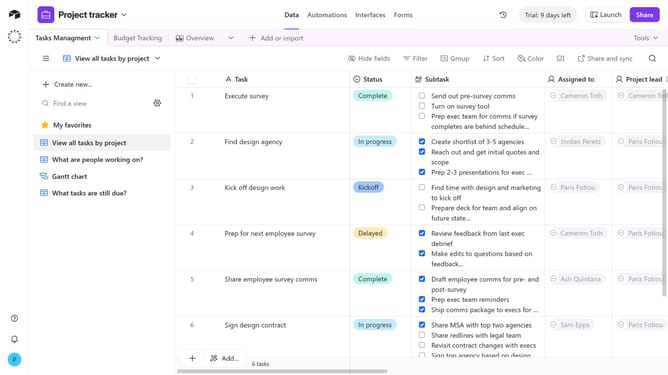
- First, open the base where you want to see the extensions
- Next click on the "Tools" button in the top-right corner of the base
- Click on the "Extensions" option from the Tools dropdown menu
- The extensions panel will open on the right-hand side of the base, scroll through the panel to see all extensions currently added to the base
- To view the panel in fullscreen, click the expand icon in the top-right corner
Why should you view all of the extensions in a base in Airtable
Airtable is a versatile platform that fuses databases with the simplicity of a spreadsheet, empowering users to organize everything efficiently.
Viewing all the extensions in a base in Airtable unlocks the full potential of your project by seamlessly integrating third-party apps and additional tools that enhance functionality.
This feature offers users an overview, boosting productivity and streamlining workflows by allowing easy access to all enhancements, ensuring each task is well-supported.
Ultimately, this fosters a more dynamic, adaptable work environment where collaboration and creativity thrive.
Last update