How to view a campaign report in Constant Contact
Here is how to view a campaign report in constant contact
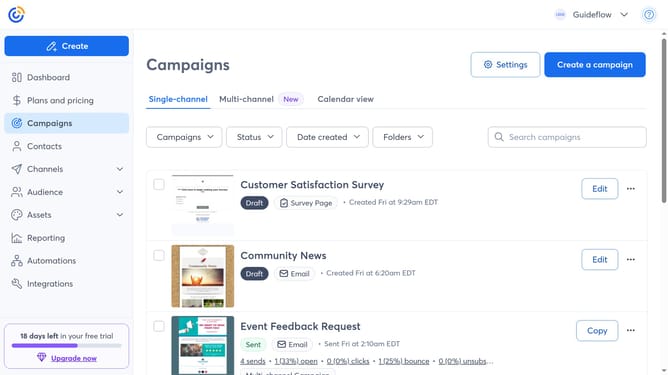
- First click on "Campaigns" in the left sidebar menu
- Find the sent campaign you want to view from the campaign list
- Next click the "More options" menu (three dots) button on the right side of the campaign
- Then select "Reporting" from the dropdown menu that appears
- The Campaign Report page opens, here you can see metrics like opens, clicks, bounces, unsubscribes and more
Why should you view a campaign report in Constant Contact
Constant Contact is a powerful tool for managing and executing successful email marketing campaigns.
Viewing a campaign report in Constant Contact allows you to gain valuable insights into how your audience interacts with your content.
This feature helps you track open rates, click-through statistics, and other vital metrics, empowering you to make informed decisions to enhance future campaigns.
Utilizing this data ensures you can refine your marketing strategies effectively, optimizing engagement and driving better results.
Last update