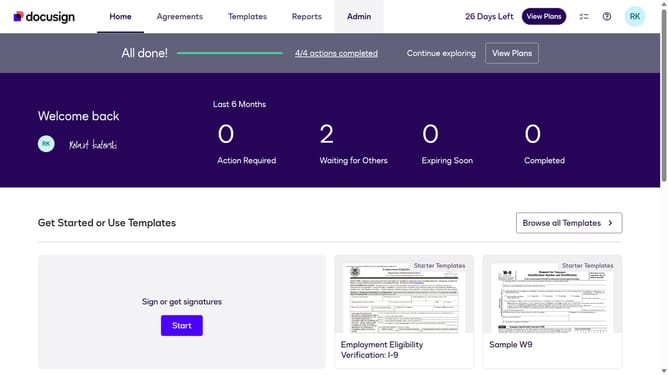
How to stop triggering events when identity verification is completed in DocuSign
Here is how to stop triggering events when identity verification is completed in docusign
- First click on the "Admin" tab in the top navigation menu
- Then scroll down the page to view more content
- Next click on the "Connect" option in the left sidebar under the INTEGRATIONS section
- Then click on the "Actions" dropdown button next to a custom configuration in the configurations table
- Scroll down the page to view more configuration settings
- Then scroll down the page to view more configuration options
- Next click on the "Identity Verification" dropdown button to expand it
- Then uncheck the "Identity Verification Completed" checkbox to disable it
- Continue scrolling down to reach the bottom of the configuration page
- Finally click on the "Save Configuration" button to save the changes
Why should you stop triggering events when identity verification is completed in DocuSign
DocuSign facilitates digital agreements, ensuring seamless transactions across various industries.
By halting triggering events post-identity verification, unimportant notifications can be minimized, enhancing workflow precision.
Leveraging this feature can prevent unnecessary actions and focus on pertinent tasks, maintaining security and promoting efficiency.
Adopting this approach benefits users by streamlining processes and allowing more time for strategic decision-making.
Last update