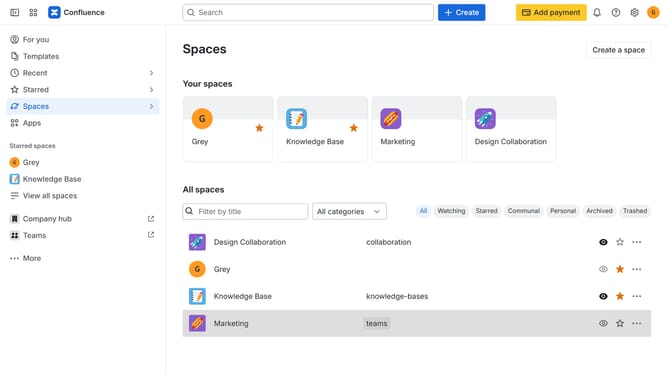
How to star a space from the sidebar in Confluence
Here is how to star a space from the sidebar in confluence
- First, click on "Spaces" in the left sidebar
- Next click on the "View all spaces" option from the pop-up menu
- Then locate and open the space you want to star
- In the left sidebar, click on the three dots menu next to the space name
- Finally, select the "Star space" option from the dropdown menu
- The space will now be added to your starred spaces
Why should you star a space from the sidebar in Confluence
Confluence is an efficient collaboration tool designed to transform the way teams work together.
Starring a space from the sidebar in Confluence creates a quick access point for your essential projects, providing instant navigation to crucial information.
This feature optimizes productivity by allowing immediate retrieval of frequently visited or high-priority spaces.
By starring spaces, you streamline your workflow, ensuring easy access to important resources, thus enhancing your collaborative experience.
Last update