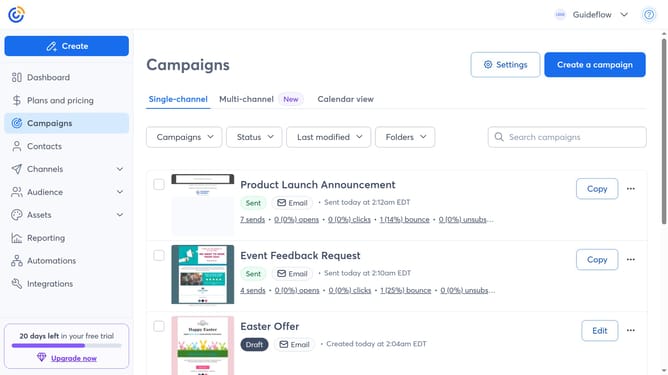
How to sort campaigns by last modified in Constant Contact
Here is how to sort campaigns by last modified in constant contact
- First click on "Campaigns" in the left sidebar navigation menu
- Next click on the Sort by dropdown at the top of the campaigns list
- Then select the "Last modified" option from the sorting options
- The campaigns list will now show the campaigns in order of most recently modified first
Why should you sort campaigns by last modified in Constant Contact
Constant Contact is a comprehensive platform designed to streamline email marketing efforts for businesses.
Sorting campaigns by the last modified feature allows users to quickly access the most recent changes made to their email campaigns. This not only saves time but also enhances workflow efficiency.
Using this feature ensures that you can easily track your progress, adapt to recent trends, and manage your campaigns effectively. It’s an excellent way to stay organized and always be up-to-date with your marketing strategies.
Last update