How to restore deleted dashboards in HubSpot
Here is how to restore deleted dashboards in hubspot
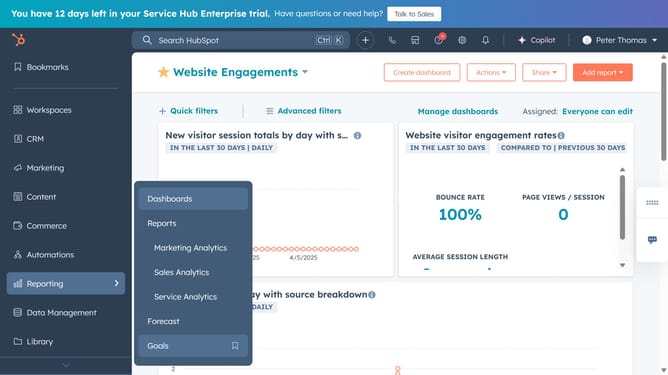
- First click on the "Reports" icon in the left sidebar
- Then click on "Dashboards" in the expanded Reporting menu
- Click on "Manage dashboards" button in the top right menu
- Next click on "Restore deleted dashboards" tab in the left sidebar of the Dashboards page
- In the list of deleted dashboards, select the checkbox next to the dashboards you want to restore
- Click on the "Restore" in the table header
- Finally, click on "Restore dashboards" button in the confirmation dialog to confirm
- The dashboards have successfully been restored
Why should you restore deleted dashboards in HubSpot
HubSpot is a leading platform that empowers businesses with its robust suite of marketing, sales, and service tools.
Restoring deleted dashboards in HubSpot is remarkably straightforward, ensuring that critical analyses are not lost to human error. This feature offers peace of mind for businesses who rely heavily on data-driven decisions. Restoring your dashboards means continuity, preserving the insights that inform strategic planning.
The ability to recover dashboards quickly translates into uninterrupted workflows, allowing teams to refocus their energy on driving growth rather than recreating lost data. This feature highlights HubSpot’s commitment to efficiency and resilience, reinforcing its status as an essential business partner.
Last update