How to restore an archived space in Confluence
Here is how to restore an archived space in confluence
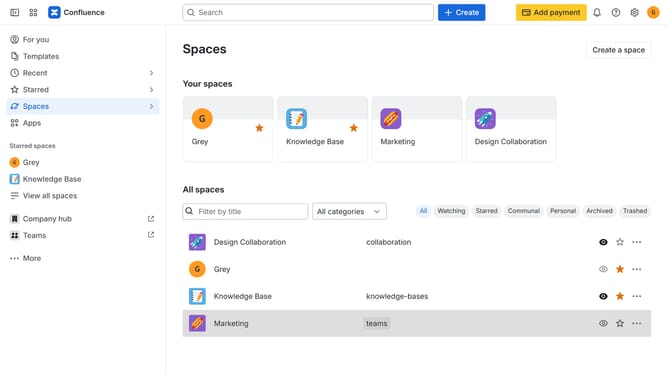
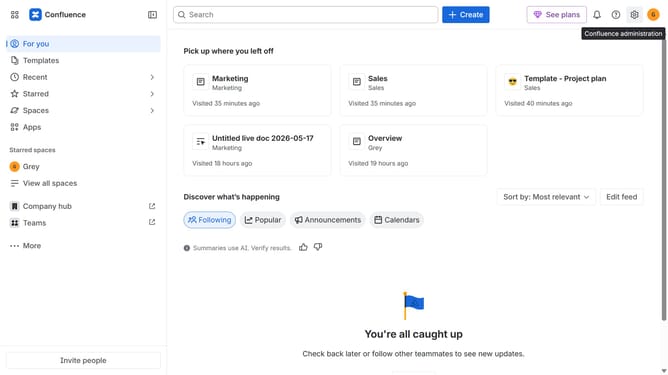
- First click on "Spaces" in the left sidebar
- Next, select "View all spaces" in the dropdown menu
- Click the “Archived” filter at the top of the spaces list
- Locate the archived space you want to restore
- After that, click on the three dots menu next to the space name
- Click on the "Space settings" button
- In the left sidebar menu, click on "Archive space"
- Finally click on "Restore space" button to restore the space
Why should you restore an archived space in Confluence
Confluence is the ultimate collaboration platform that empowers teams to create, share, and manage content seamlessly.
Restoring an archived space in Confluence allows teams to bring back valuable information and resources that might have been set aside, ensuring all important knowledge remains accessible.
This feature is crucial for maintaining a rich history of project developments and facilitating easy retrieval of past work.
By using this feature, teams can seamlessly continue their workflow without losing any essential insights or data.
Last update