How to disable calendars in a Confluence space
Here is how to disable calendars in a confluence space
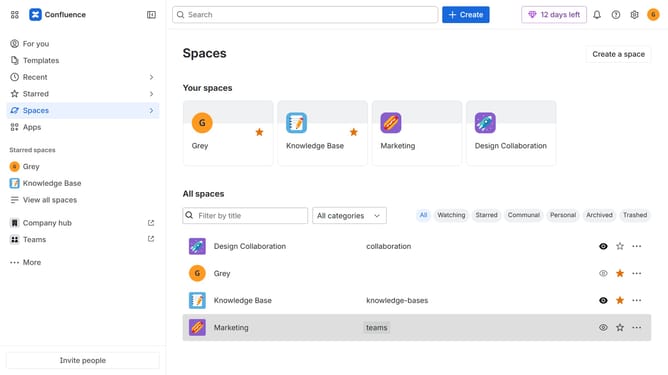
- First click on "Spaces" in the left sidebar
- Next click on the "View all spaces" option
- From the list of spaces, select the space you want to manage features for
- Then click on the "three dots" button next to the space name in the sidebar
- From the dropdown menu, select the "Space settings" option
- Next click the "General" menu in the left sidebar
- Select "Features" from the submenu
- Then, locate the “Calendars” feature in the Features section
- Finally, turn off the toggle next to "Calendars" to disable it
Why should you disable calendars in a Confluence space
Confluence is a powerful collaborative workspace that helps teams efficiently share and organize knowledge.
The ability to disable calendars in a Confluence space provides users with increased flexibility to tailor their workspace according to specific team needs.
This feature is particularly beneficial in simplifying the information landscape when calendar functionalities are not required, thereby minimizing distractions and enhancing focus on the tasks that matter most.
Ultimately, it empowers teams to create a cleaner, more personalized and efficient environment that aligns with their workflow priorities.
Last update