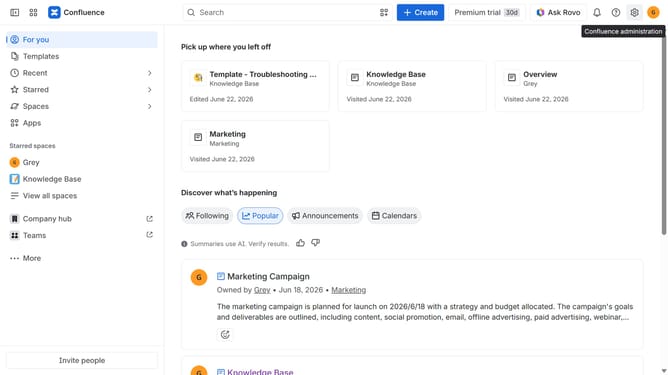
How to install MANTRA Intranet in Confluence
Here is how to install mantra intranet in confluence
- First click on "Apps" in the navigation
- Next, select the "Explore more apps" option
- From the list, locate "MANTRA Intranet" and click on it to open the app details page
- After that, click on the "Try it free" button
- Select the Confluence site where it will be installed
- Then click on the "Review" button to proceed
- Review the app details, permissions, and other information
- Finally, click on the "Start free trial" button
Why should you install MANTRA Intranet in Confluence
Confluence is a collaborative workspace that helps teams manage projects and share knowledge seamlessly.
Installing MANTRA Intranet in Confluence amplifies the platform's capabilities, creating a more efficient and dynamic digital workspace for your organization.
By integrating MANTRA, team collaboration becomes streamlined and communication channels are enhanced, fostering a productive environment.
Utilizing this integration offers intuitive access to files and documents, promoting better document management while reinforcing a centralized hub for team activities.
Last update