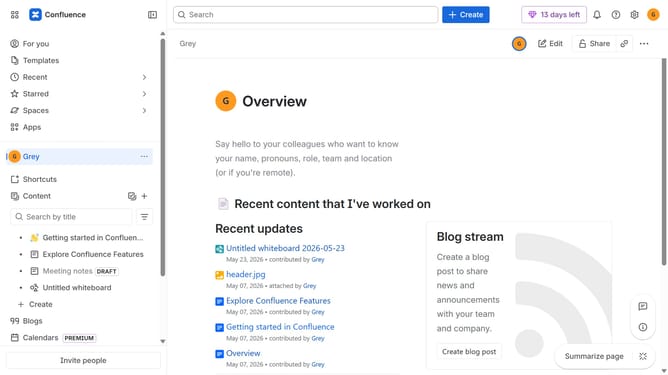
How to install Scroll Word Exporter in Confluence
Here is how to install scroll word exporter in confluence
- First click on "Apps" in the navigation
- Next, select the "Explore more apps" option
- From the list, locate "Scroll Word Exporter" and click on it to open the app details page
- Click on the "Try it free" or "Install" button
- Select the Confluence site where it will be installed
- Then click on the "Review" button to proceed
- Review the app details, permissions, and other information
- Finally, click on the "Start free trial" or "Confirm installation" button
Why should you install Scroll Word Exporter in Confluence
Confluence is a collaborative workspace that empowers teams to efficiently share knowledge and collaborate seamlessly.
Installing the Scroll Word Exporter in Confluence is a straightforward process that extends the platform's functionality. By integrating this feature, users gain the ability to convert Confluence pages into high-quality Word documents effortlessly.
This tool is invaluable for teams needing to distribute polished reports, ensuring output consistency and professionalism across documents. The installation enhances productivity, allowing swift customization and exportation of content without any hassle.
Last update