How to filter apps by the Analytics use case in the Confluence Marketplace
Here is how to filter apps by the analytics use case in the confluence marketplace
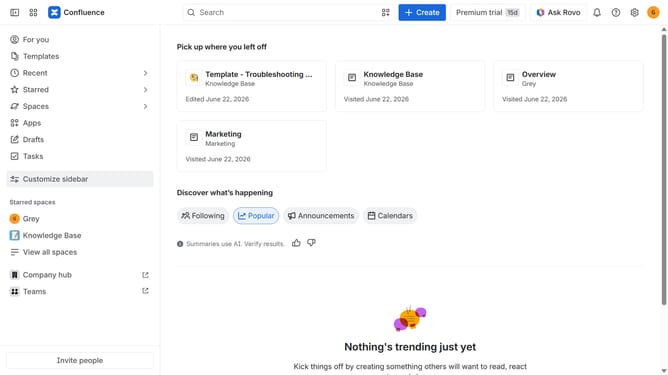
- First click on the "Apps" in the left sidebar
- Next, click on the "Explore more apps" option
- Click on the "Use cases" filter in the top menu bar
- Then, select the "Analytics" checkbox
- Optionally, select additional use case options
Why should you filter apps by the Analytics use case in the Confluence Marketplace
Confluence is a collaborative workspace that empowers team productivity through seamless document collaboration.
In the bustling Confluence Marketplace, filtering apps by the Analytics use case streamlines the process of identifying tools that cater to your data-driven needs.
This feature enhances efficiency by narrowing down the plethora of available apps to those specifically designed for analytics, ensuring you quickly find the best solutions.
By focusing on analytics-centric tools, users can elevate their data analysis capabilities, driving better insights and informed decision-making.
Last update