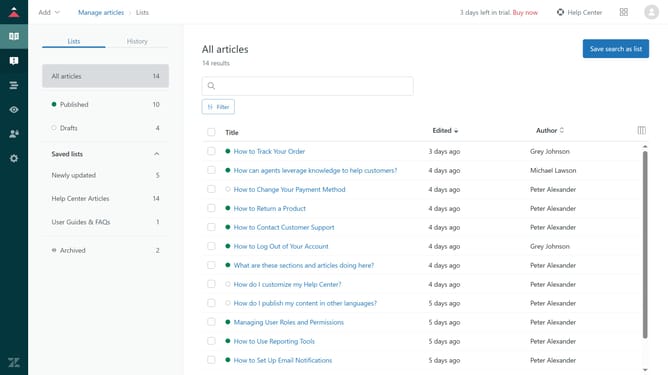
How to restore an archived article in Zendesk Guide Admin
Here is how to restore an archived article in zendesk guide admin
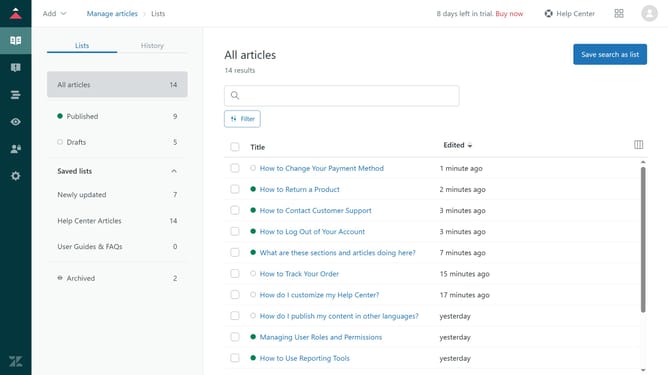
- First in Guide admin, click on the "Manage articles" icon in the left sidebar
- Then click on "Lists" tab in the main content area
- Next click on "Archived" section in the left sidebar menu
- Then click the checkbox next to the article you want to restore
- Next click on "Article settings" dropdown menu
- Then click "Restore" option in the dropdown menu
- In the modal window, select the category where you want to restore the article
- Next, choose the section from the list within that category
- Finally, click the "Restore" button at the bottom of the modal to complete the process
Why should you restore an archived article in Zendesk Guide Admin
Zendesk is a versatile platform designed to enhance customer service through efficient ticketing and support solutions.
Restoring an archived article in Zendesk Guide Admin ensures that valuable information remains accessible and relevant to users. This feature allows administrators to quickly bring back essential content, keeping the knowledge base dynamic and up-to-date.
The ability to restore archived articles helps maintain continuity in documentation and support quality. It ensures that prior content, once archived, can be readily available, fostering a seamless knowledge management experience.
Last update