How to rename a report on a dashboard in HubSpot
Here is how to rename a report on a dashboard in hubspot
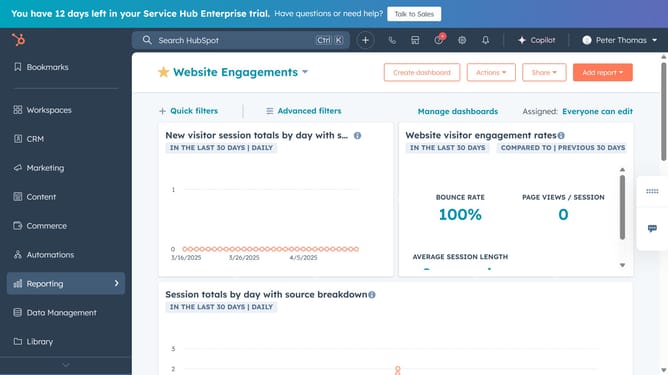
- First click on the reports icon in the left sidebar
- Then click on the "Dashboards" item in the Reporting submenu
- Next click on the dashboard title dropdown in the top left corner
- Select the dashboard you want to edit from the list
- Next, hover over the report you want to rename and click on the "Actions" menu (three dots)
- Select the "Rename" option from the dropdown menu
- In the dialog box, enter the new name in the report name field
- Finally, click the "Rename report" button to apply the new name
- The report name has been successfully updated
Why should you rename a report on a dashboard in HubSpot
HubSpot is a powerful platform designed to streamline marketing, sales, and customer service efforts.
Renaming a report on a dashboard in HubSpot is a straightforward feature that enhances organization and clarity.
This is particularly useful when maintaining multiple reports, ensuring each name is intuitive and aligns with evolving business focus or strategy.
The ability to rename reports aids in quickly identifying key metrics, promoting efficient team collaboration and decision-making.
Last update