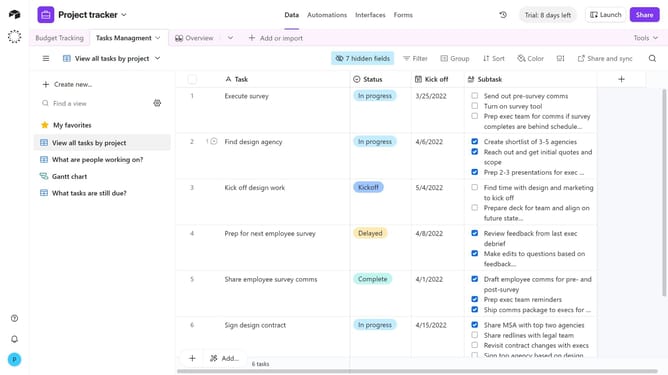
How to remove a sort from a view in Airtable
Here is how to remove a sort from a view in airtable
- First, navigate to a base and open the table where the view is located
- In the view sidebar, select the view with the sort applied
- Next click on the "Sort" button in the top toolbar
- In the sort dialog, locate the sort condition you want to remove
- Then click the remove (X) button to delete the condition
- You have successfully removed the sort condition
Why should you remove a sort from a view in Airtable
Airtable is a versatile platform that blends database functionality with the simplicity of a spreadsheet to enhance project management and collaboration.
Removing a sort from a view in Airtable allows users to restore the original order of entries, ensuring data is displayed without enforced hierarchical constraints. This feature brings flexibility, enabling a more organic exploration of information, which can enhance creativity and insight gathering.
Furthermore, reverting to an unsorted view can facilitate a fresh perspective, prompting new ideas and interpretations that are crucial for efficient decision-making and problem-solving.
Last update