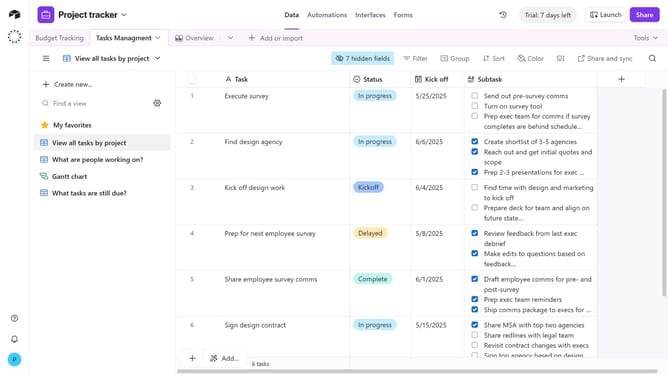
How to hide a table in Airtable
Here is how to hide a table in airtable
- First, open the base that contains the table you want to hide
- Next, click on the table you want to hide
- Right-click the table tab, or click the dropdown arrow next to it
- Then select the "Hide table" option in the dropdown menu
- The table will now be hidden once you navigate to a different table and it can only be opened again from the list of tables
Why should you hide a table in Airtable
Airtable is a versatile platform that combines the simplicity of a spreadsheet with the robust functionality of a database.
The ability to hide tables in Airtable can enhance organizational efficiency by minimizing on-screen clutter and maintaining focus. This feature allows teams to streamline their workspace, ensuring only the most relevant data is readily visible.
By hiding tables, you can effectively reduce distractions, enable quicker access to pertinent information, and facilitate a more organized, efficient workflow. This leads to better productivity and a smoother operational experience.
Last update