Slack
Slack is a business communication platform that organizes team conversations into channels and direct messages.
Website
Industry
Collaboration
Share this article:

How to manage message editing settings as an admin in Slack

Here is how to manage message editing settings as an admin in slack

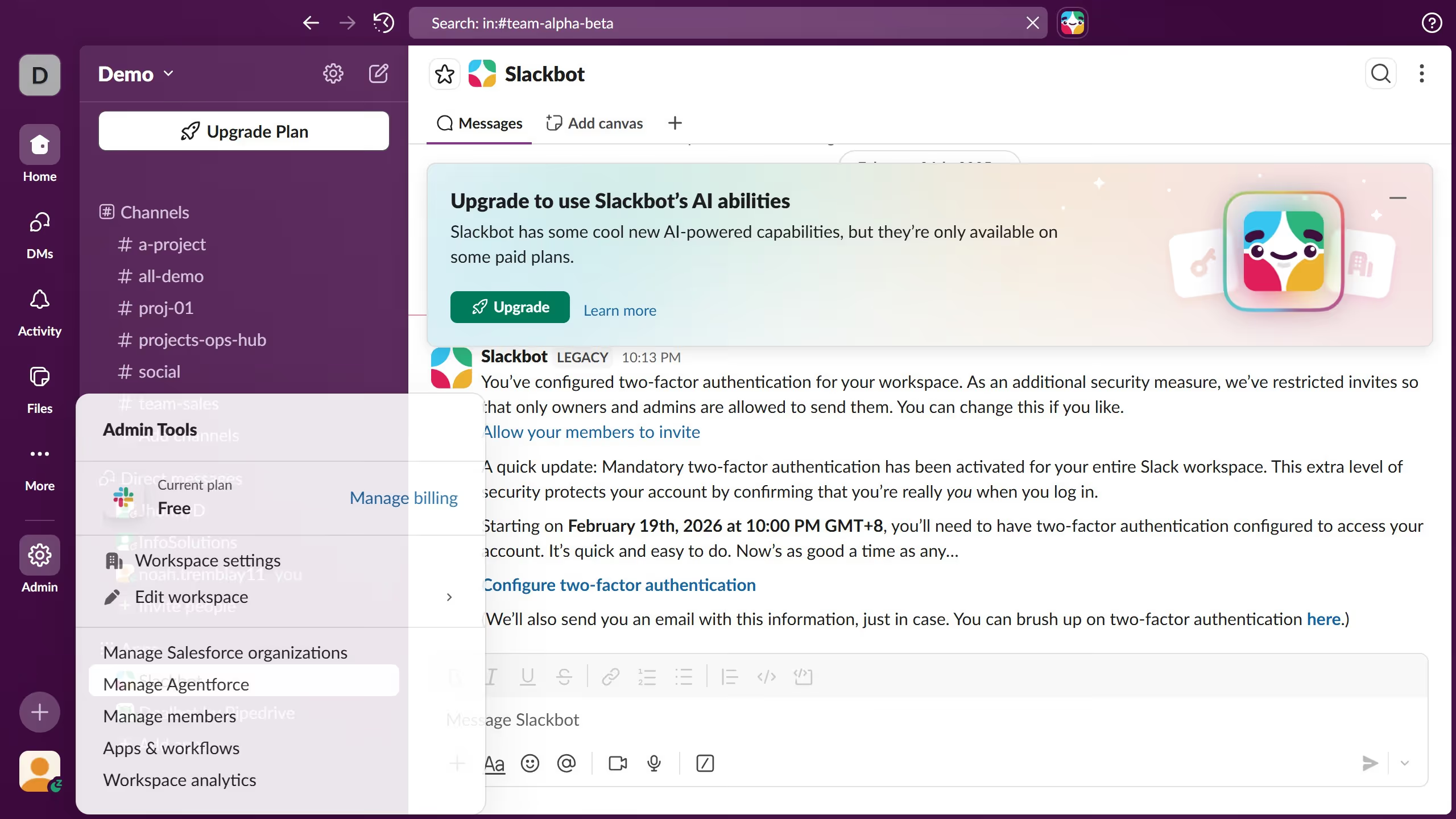
  1. First click on "Admin" button in the sidebar
  2. Then click on "Workspace Settings" option in the Admin Tools menu
  3. Next click on "Permissions" tab in the settings navigation
  4. Then scroll down the permissions page using the scrollbar
  5. Next click on "Expand" button for the "Message Editing" section
  6. Then click on the dropdown menu to change message editing permissions
  7. Finally click on "Save" button to apply the changes

Create your own interactive guide with Guideflow

Why should you manage message editing settings as an admin in Slack

Slack is a dynamic messaging platform designed to enhance communication and collaboration within teams.

As an admin, managing message editing settings allows you to maintain control over the communication flow in your workspace. By customizing these settings, you can dictate how and when messages can be edited, fostering a more organized and transparent environment.

This feature empowers admins to strike a balance between flexibility and accountability, promoting a culture of trust and clarity, while preventing misinformation or confusion.

Last update
March 16, 2026
Cursor MariaA cursor points to a button labeled "James."

Create your first demo in less than 30 seconds.