How to manage apps in a Confluence space
Here is how to manage apps in a confluence space
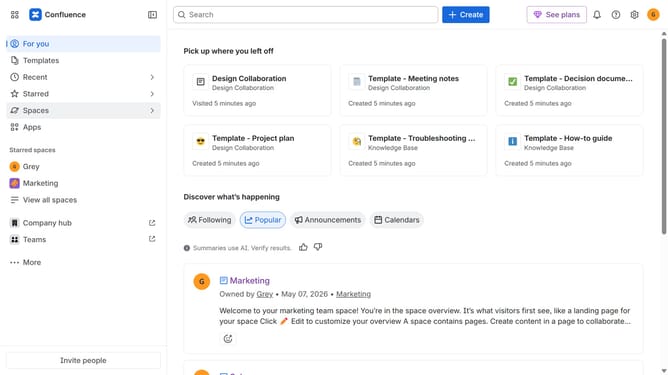
- First click on "Spaces" in the left sidebar
- Next click on the "View all spaces" option
- From the list of spaces, select the space you want to manage features for
- Then click on the "three dots" button next to the space name in the sidebar
- From the dropdown menu, select the "Space settings" option
- Next click the "General" menu in the left sidebar
- Select "Features" from the submenu
- Then, locate the “Apps” feature
- Finally, turn the toggle on or off to enable or disable apps features for the space
Why should you manage apps in a Confluence space
Confluence is a dynamic collaboration platform that empowers teams to create, share, and manage content efficiently.
Managing apps within a Confluence space involves organizing and customizing applications to fit your specific workflow needs.
This feature enhances productivity by streamlining processes, consolidating tools, and ensuring seamless integration across various project requirements.
By effectively managing apps, teams can foster a more cohesive collaborative environment and drive project success.
Last update