How to make the template gallery on an email in Brevo
Here is how to make the template gallery on an email in brevo
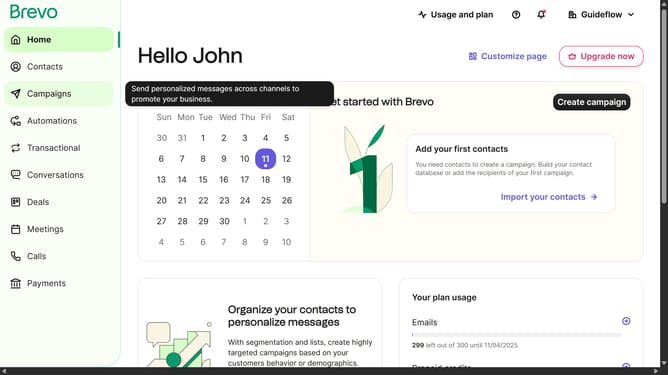
- First click on the "Campaigns" item in the left sidebar
- Then click on "Create campaign" button on the top right corner
- Then select "Email" option from the campaign types
- Next click on the input text field and type your campaign name
- Then click on the "Create campaign" button to proceed
- Next click "Start designing" button in the Design section
- Then click on the "Template Gallery" tab in the Design section
- Finally click "Use template" button in the template layout
Why should you make the template gallery on an email in Brevo
Brevo is a powerful tool designed to enhance your email marketing strategy by streamlining communication.
The template gallery in Brevo offers a unique feature that allows users to organize and showcase their email designs effortlessly. This feature is essential for maintaining a cohesive brand identity across all communications.
Using the template gallery ensures consistency and saves time, enabling quick customization without starting from scratch. It's a smart way to optimize your email campaigns, making them visually appealing and professionally crafted. Your audience will appreciate the seamless, polished presentation every time.
Last update