How to insert a heading block in an email in Mailchimp
Here is how to insert a heading block in an email in mailchimp
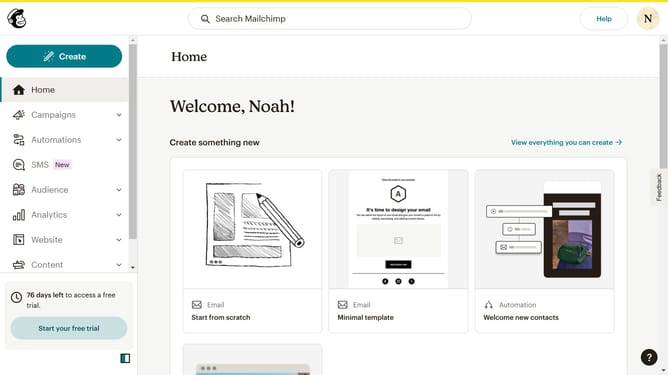
- First click on the "Campaigns" menu item in the left sidebar
- Then click on the "Edit" button next to the Testing Email campaign
- Next click on the "Edit design" button in the email preview panel
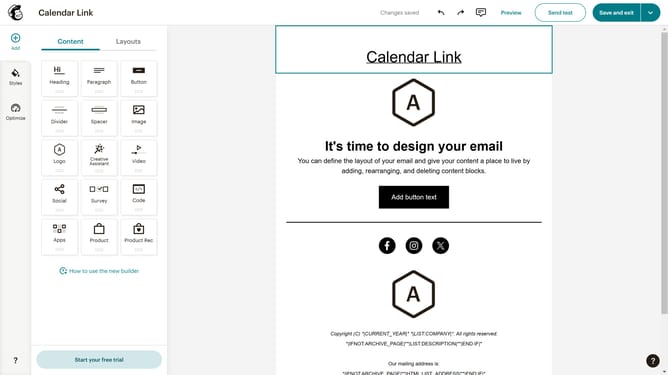
- Then click and drag the "Heading" block in the content blocks menu on the left to your project canvas
- Finally click in the heading text area to start editing the content
Why should you insert a heading block in an email in Mailchimp
Mailchimp is a versatile marketing platform designed to help businesses create and manage email campaigns effectively.
Inserting a heading block in an email within Mailchimp adds structure and clarity to your message. The heading block feature allows you to emphasize key content, making your email more readable and engaging for recipients.
By using heading blocks, you can capture your audience's attention quickly, ensuring that important information stands out. This enhances the overall user experience, encouraging higher engagement rates.
Last update